Open TurboTax
Are you using the online or desktop version? Check every T5008 slip entry to ensure that each transaction has a valid disposition date within the 2024 calendar year. Ensure that the date entered is in the correct format. Date of Disposition (dd/mm/yyyy).
I also recommend deleting the slips and reentering them. If you are using a desktop version, make sure it's up to date.
Thank you for choosing TurboTax.
Thank you for the reply. I am using the online version. I have more than 570 slips. reentering it manually is impossible. I used the connect to CRA and download the T5008 Slips as is from CRA account as reported by the broker. Also I manually checked all the files twice. Is there a way to delete the slips and reenter it from the CRA account?
Yes, you can delete the imported slips from your online tax software and re-import them from your CRA account; however, with over 570 slips, you may encounter the same import issues as before.
Unfortunately, 570 slips from the CRA account cannot be imported. That's a large number of T-slips, which could cause a problem during importation. You must manually add all of the slips.
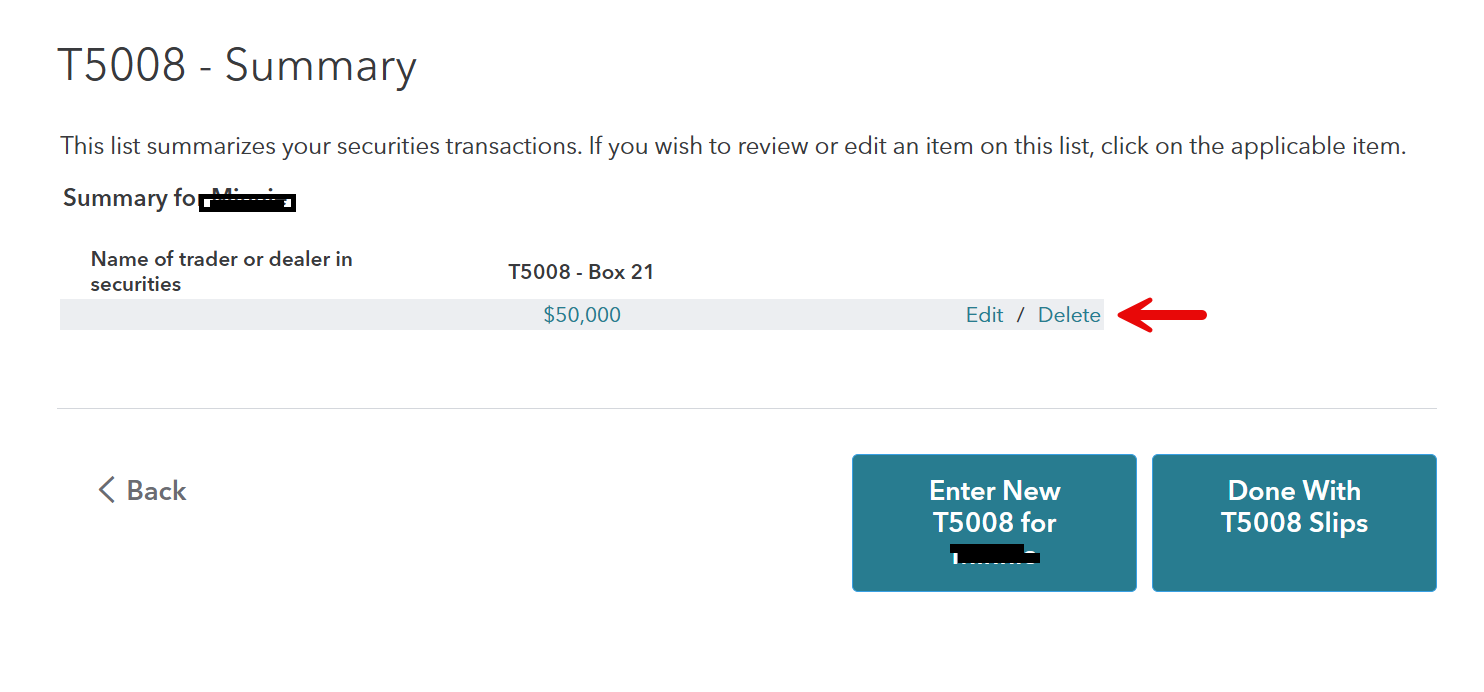
You may need to click an "Edit" or "View" button next to each T5008 entry and look for a "Delete" option.

Thank you for choosing TurboTax.
abyphilipson
Level 1
user17619718338
Returning Member
stephunderscoremoore
New Member
vissercathie24
New Member
ryanacole
New Member
©1997-2024 Intuit, Inc. All rights reserved.
Intuit, QuickBooks, QB, TurboTax, ProConnect, and Mint are registered trademarks of Intuit Inc. Terms and conditions, features, support, pricing, and service options subject to change without notice.
Security Certification of the TurboTax Online application has been performed by C-Level Security.
By accessing and using this page you agree to the Terms of Use.
You have clicked a link to a site outside of the TurboTax Community. By clicking "Continue", you will leave the Community and be taken to that site instead.