

- Mark as New
- Bookmark
- Subscribe
- Subscribe to RSS Feed
- Permalink
- Report Inappropriate Content
Investors and rental owners
Refer to the screenshots below; for Tax Year 2025, you can add information here:
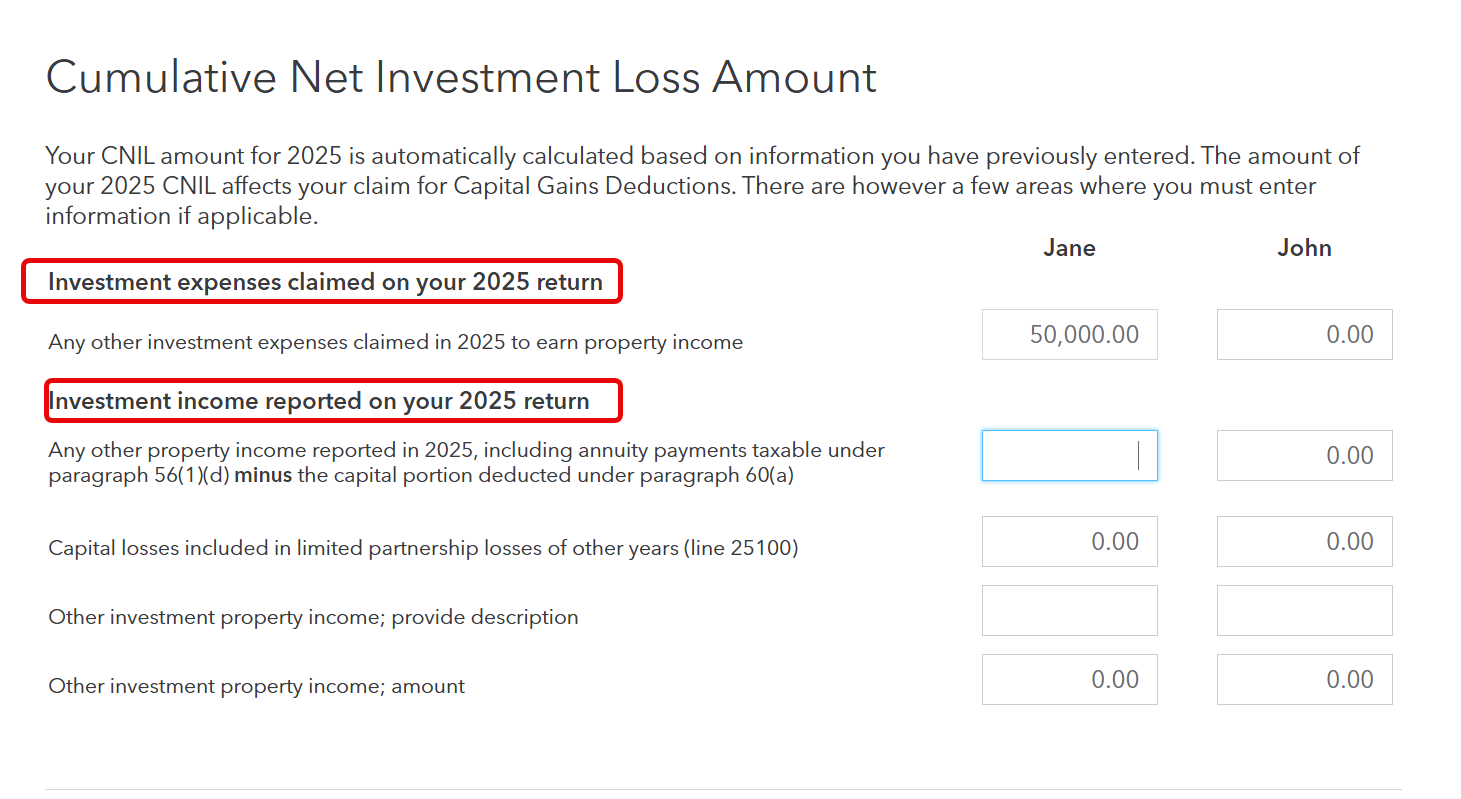
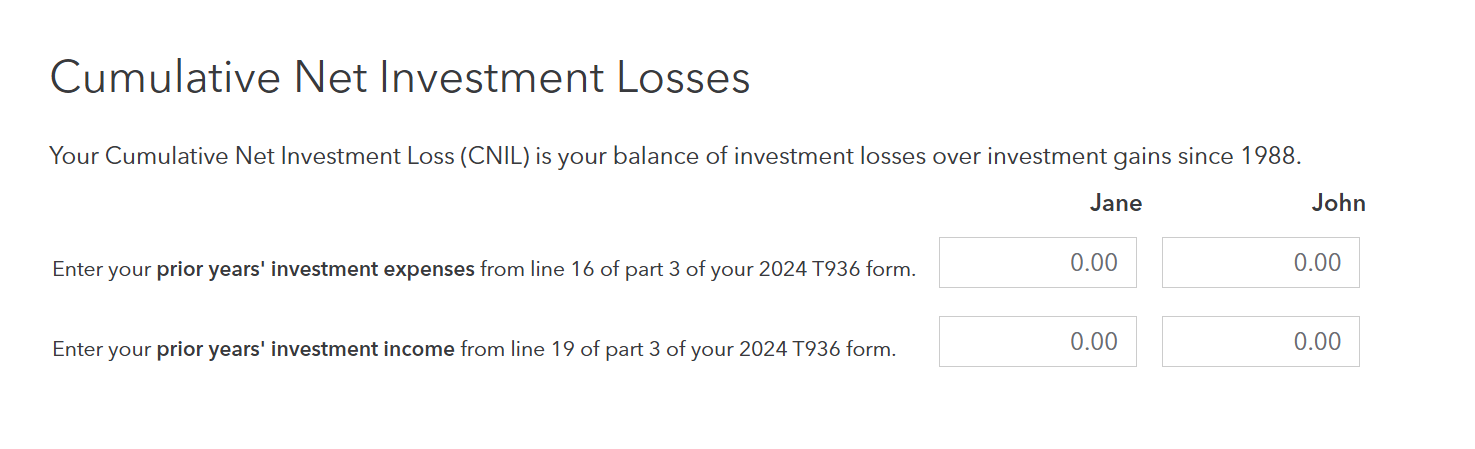
For previous years: Your Cumulative Net Investment Loss (CNIL) is your balance of investment losses over investment gains since 1988. You will add information on the very next page.
If you're using TurboTax Desktop, use Easy Step mode:
- Proceed to the Income and Expenses section.
- Find the Investments Profile page.
- Check the box for "Calculation of cumulative net investment loss (CNIL) (T936)."
- Proceed through the screens until you reach the CNIL entry page. You will see boxes specifically for "Prior year investment expenses" and "Prior year investment income."
You generally only need to enter this if you are claiming the Capital Gains Deduction (Line 25400) for selling small business shares or farm/fishing property. If you aren't claiming that deduction, a CNIL balance won't actually change your tax refund this year, though it’s still good practice to keep it updated.
Hope this helps!
February 24, 2026
12:02 PM
