

- Mark as New
- Bookmark
- Subscribe
- Subscribe to RSS Feed
- Permalink
- Report Inappropriate Content
After you file
If you have used TurboTax Expert Assist & Review, please follow the instructions below:
- Go to the return manager.
- Select ReFILE beside the return to be modified.

- Select Start ReFILE if they meet the criteria displayed.
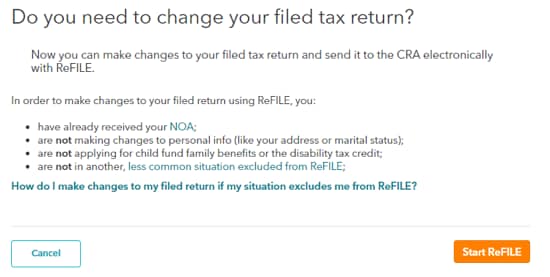
Once you start a Refile, after a few steps, select Expert Help from the menu.
- Select Expert Help from the menu.
- In the panel that opens, select Connect now.
- On the How can we help you? step, enter a few words to describe your question in the box where it says, "Give us a few keywords, so we can match you with the best specialist for your specific question or problem."
- Select Continue.
- Fill out the First name, Last name, Email address, and Phone number fields.
- Select Get the number.
Thank you for choosing TurboTax.
February 12, 2026
10:04 AM
