Open TurboTax

Why sign in to the Community?

  • Submit a question
  • Check your notifications
or and start working on your taxes
Close icon
Do you have a TurboTax Online account?

We'll help you get started or pick up where you left off.

cancel
Showing results for 
Search instead for 
Did you mean: 
Announcements
Find CRA error Netfile information >> HERE!

FHSA Carryforward Amount Available to deduct

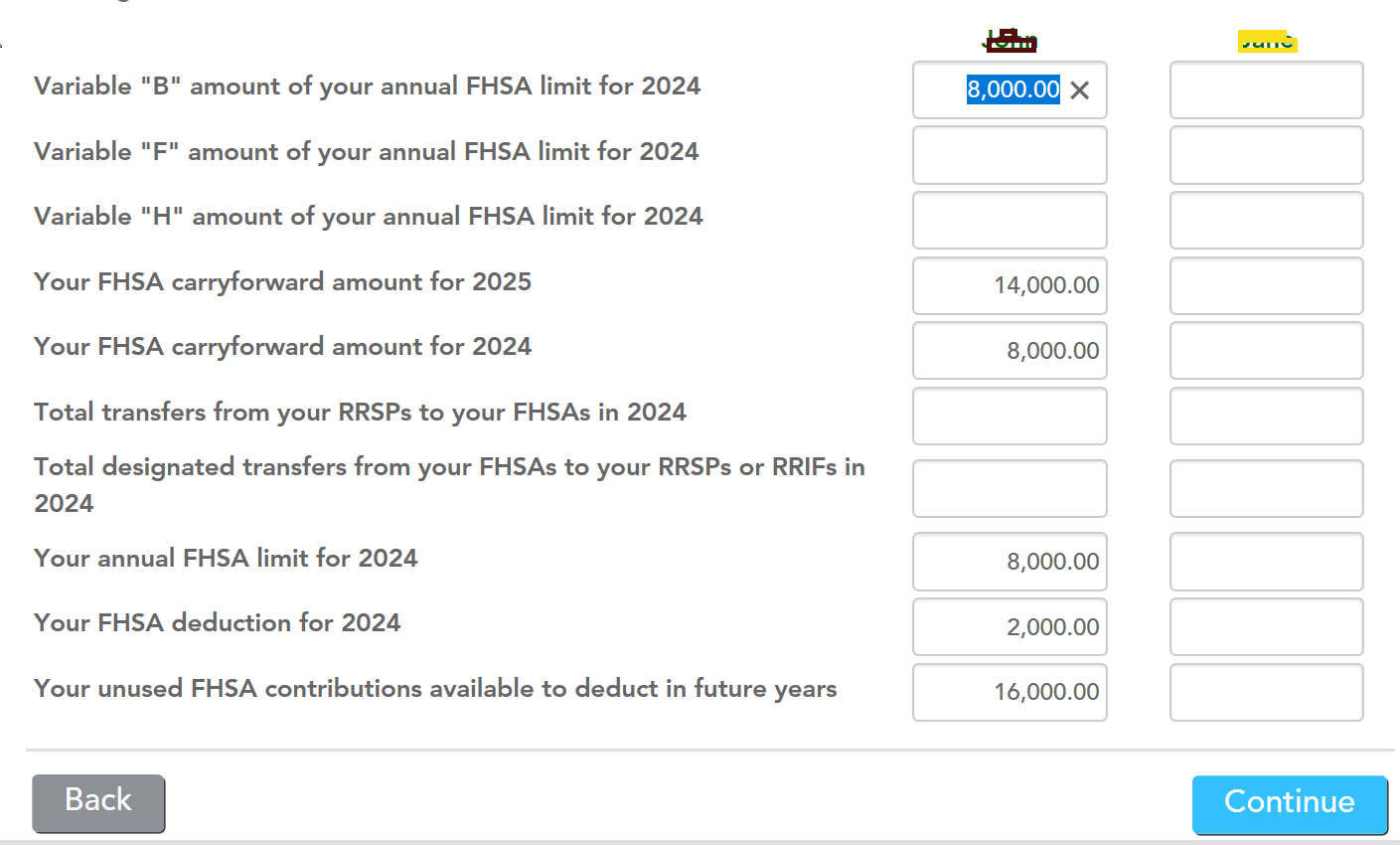
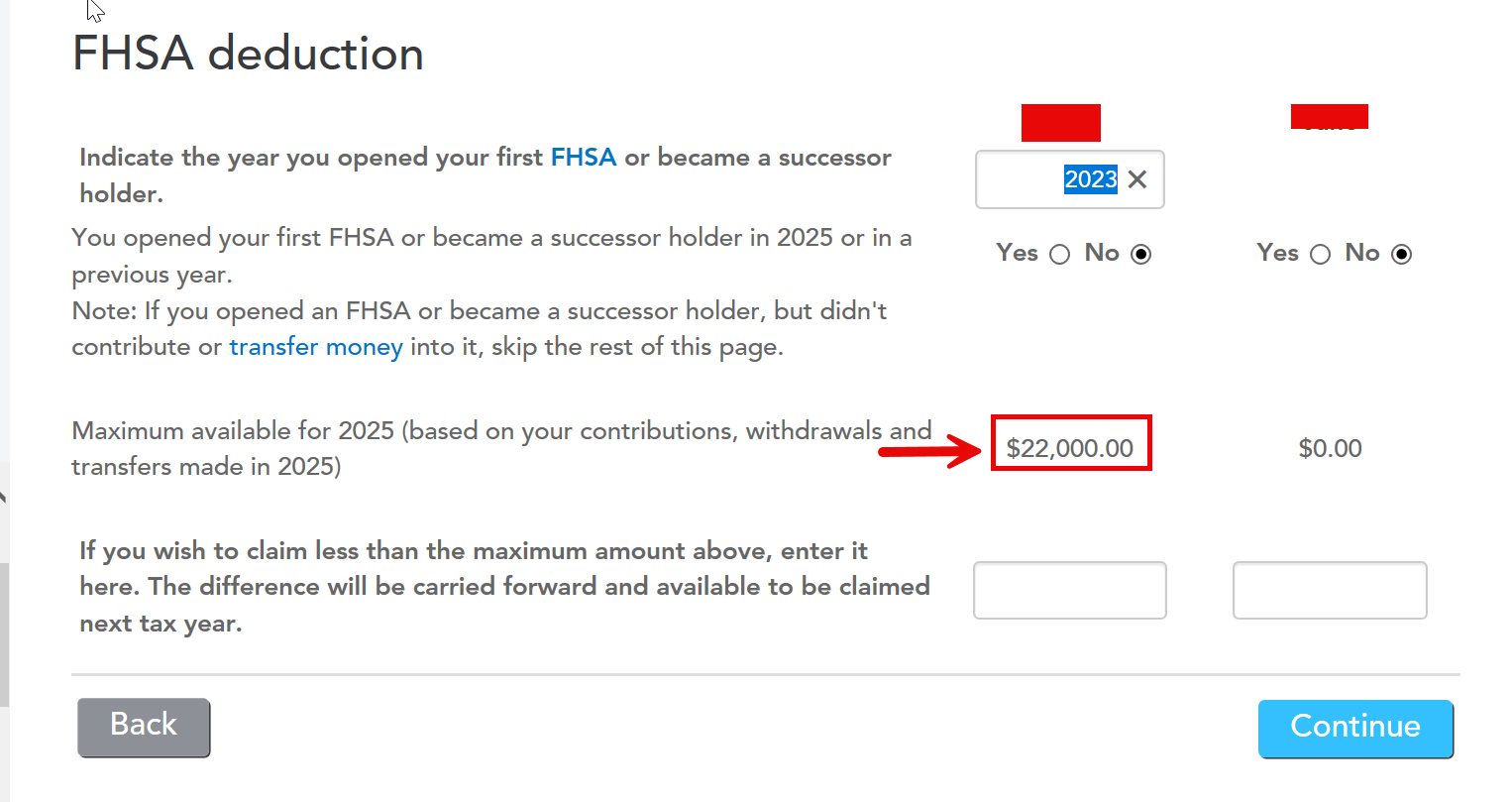
I have an FHSA opened in 2023. Have contributed $8000 each year since then, so working with $24,000 (2023, 2024, 2025). In 2024 I used $2000 of it and carried forward the rest. So now doing 2025 taxes and I can't seem to get the system to show $22,000 that I would like to deduct for 2025. (It will only allow me $14,000) And yes I did input my $8000 2025 contribution on the previous step by step page.  I have attached screenshots of the Turbotax FHSA pages. The only way I can make it work is input $8000 on the line "Variable "B" amount of your FHSA limit for 2024". So what am I missing, and/or where do I input my 2025 $8000 contribution to equal $22,000? 


FHSA 1.jpgFHSA #2.jpg


2 Replies

FHSA Carryforward Amount Available to deduct

I know that CRA Autofill is not available yet for TY 2025. I want to make sure that you have correctly added all the information from your TY2024 NOA.

I have replicated and am getting the same results.

If the software still shows $14,000, you can manually enter $8,000 into "Variable B." This field represents the sum of previous years' participation room; entering $8,000 here manually causes the software to recognize the total available room of $22,000.


Thank you for choosing TurboTax.

FHSA Carryforward Amount Available to deduct

Following further investigation, I'd like to confirm that you added T4FHSA first. When you reach the "Amounts from Notice of Assessment or Reassessment" section, double-check that you've entered the correct amounts for each year.

I tried it using the information you provided, and the calculations were correct. I've attached a screenshot for reference.


Unlock tailored help options in your account.