
- Mark as New
- Bookmark
- Subscribe
- Subscribe to RSS Feed
- Permalink
- Report Inappropriate Content
Getting started
Turbo Tax has NOT fixed the CCA override / NetFile submission. Yes, you can override the your CCA claim. However, once you do so attempts to netfile your return fails due to the override. You must mail in your returns ($13.50).

- Mark as New
- Bookmark
- Subscribe
- Subscribe to RSS Feed
- Permalink
- Report Inappropriate Content
Getting started
I override my CCA claim and was able to netfile with no issues, it was fixed with the latest update.
- Mark as New
- Bookmark
- Subscribe
- Subscribe to RSS Feed
- Permalink
- Report Inappropriate Content
Getting started
As of 5 minutes ago, I am still not able to NETFILE with the CCA override.


- Mark as New
- Bookmark
- Subscribe
- Subscribe to RSS Feed
- Permalink
- Report Inappropriate Content
Getting started
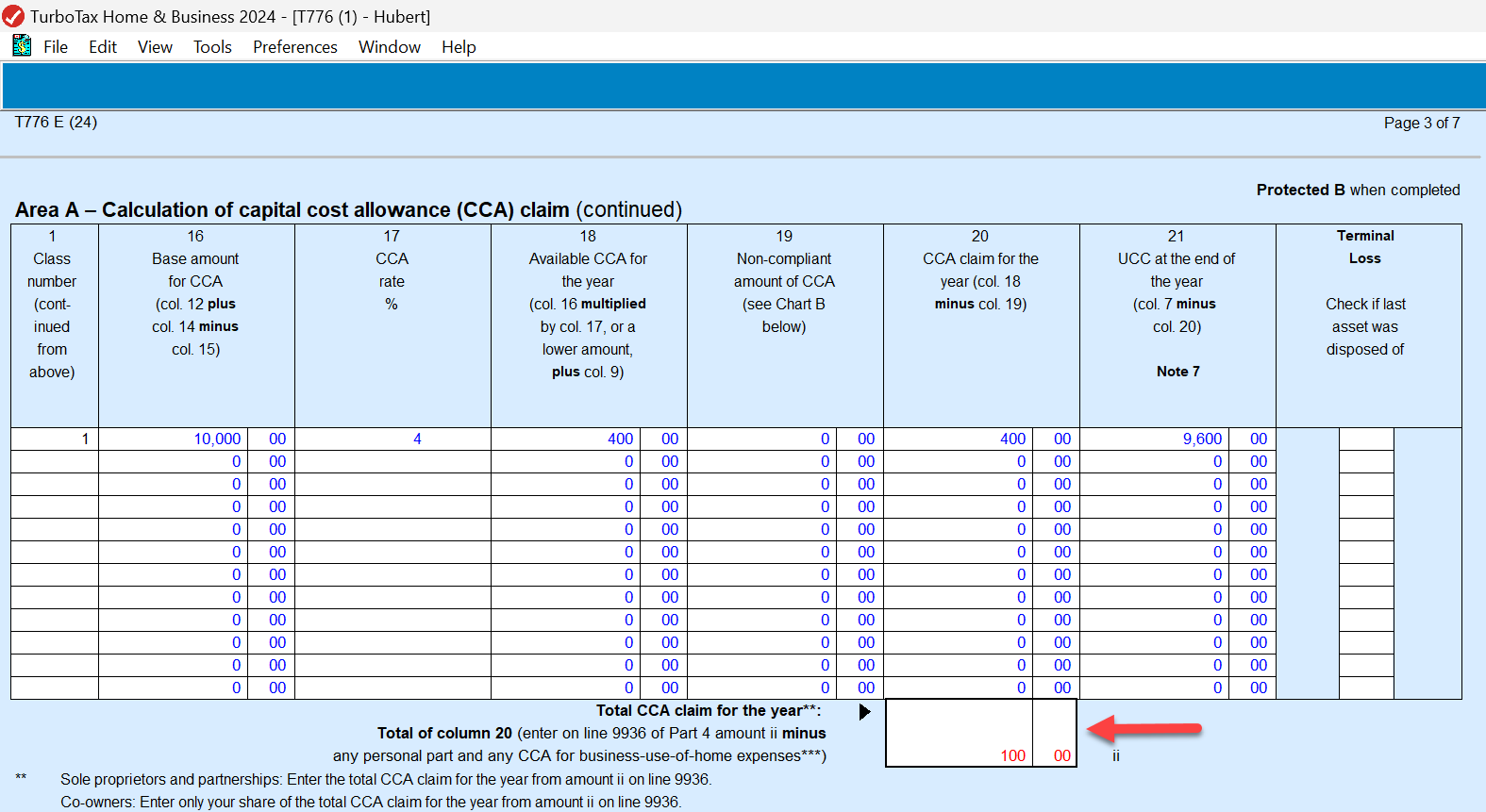
To override the amount of CCA that you are claiming, click once into the total box in column 20, then select Edit > Forms Override from the top menu. You should now be able to change the amount.
You should be able NETFILE even if you have overridden your CCA claim to make it zero. This is one of the few cases where you can override and still NETFILE your return.

- Mark as New
- Bookmark
- Subscribe
- Subscribe to RSS Feed
- Permalink
- Report Inappropriate Content
Getting started
Except it wouldn't let me Netfile with the override as I showed you with my previous screen shot. Also, for 2025, TP-128 Quebec rental property forms do not calculate the CCA properly. Specifically, column 16 is supposed to add columns 12+14 and subtract column 15 and populate a CCA % rate in column 17. It does neither of those things and therefore real estate depreciation is not included for Quebec and creates a delta reported on the CRA 776 forms. Is this a bug that will be fixed soon?

- Mark as New
- Bookmark
- Subscribe
- Subscribe to RSS Feed
- Permalink
- Report Inappropriate Content
Getting started
I've checked to see if I have any updates to install and there isn't any. I am not able to NetFile with overriding the calcualted CCA amount to 0.
- Mark as New
- Bookmark
- Subscribe
- Subscribe to RSS Feed
- Permalink
- Report Inappropriate Content
Getting started
PROBLEM SOLVED.
I figured out how to OVERRIDE the CCA amount :
- that will allow you to NETFILE and
- update your UCC for next year.
You need to override within the DETAIL GRID and not the TOTAL at the bottom in column 20. This way, it will recalculate the correct UCC in column 21 for next year.

Finally, I was able to NETFILE.
- Mark as New
- Bookmark
- Subscribe
- Subscribe to RSS Feed
- Permalink
- Report Inappropriate Content
Getting started
Hi,
Please read my post below yours. I figured out how to OVERRIDE and was able to NETFILE.
