

- Mark as New
- Bookmark
- Subscribe
- Subscribe to RSS Feed
- Permalink
- Report Inappropriate Content
Filing
As a tenant, you enter the rent that you paid in the provincial section of your return. You do not need to ask your landlord about what he pays, as this doesn't have anything to do with you. The following is the only thing you need to complete as far as claiming the rent you paid. (If you are self-employed and rent a space to work, please let us know and we will give you steps on where to claim that specific rent.)
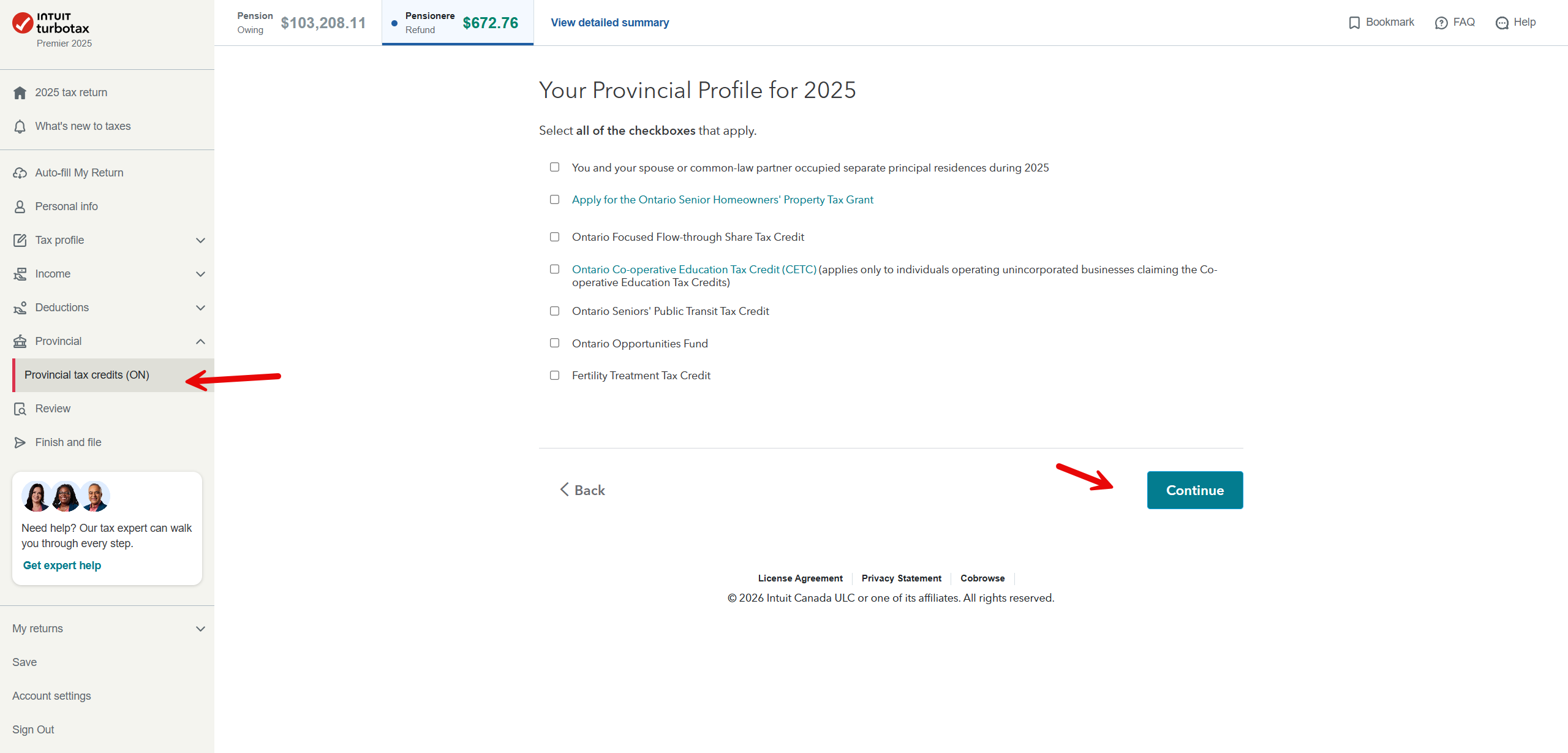
Once you click continue, you will get to this page: Put YES if at least one of these applies to you. Answer the second question if you lived in Northern Ontario, and then continue.
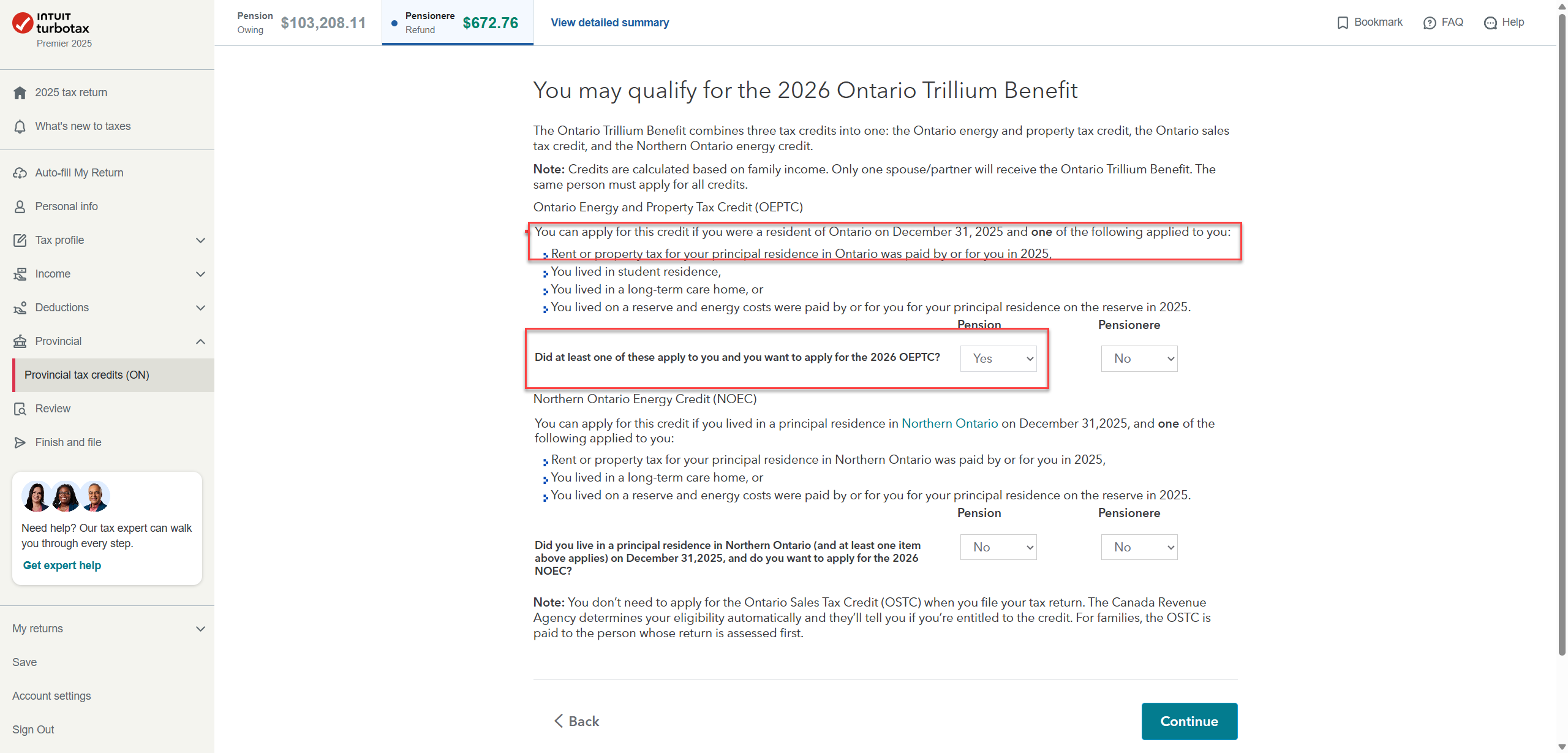
These questions and the next will determine if you receive the Trillium Benefit and the GST depending on your household income.
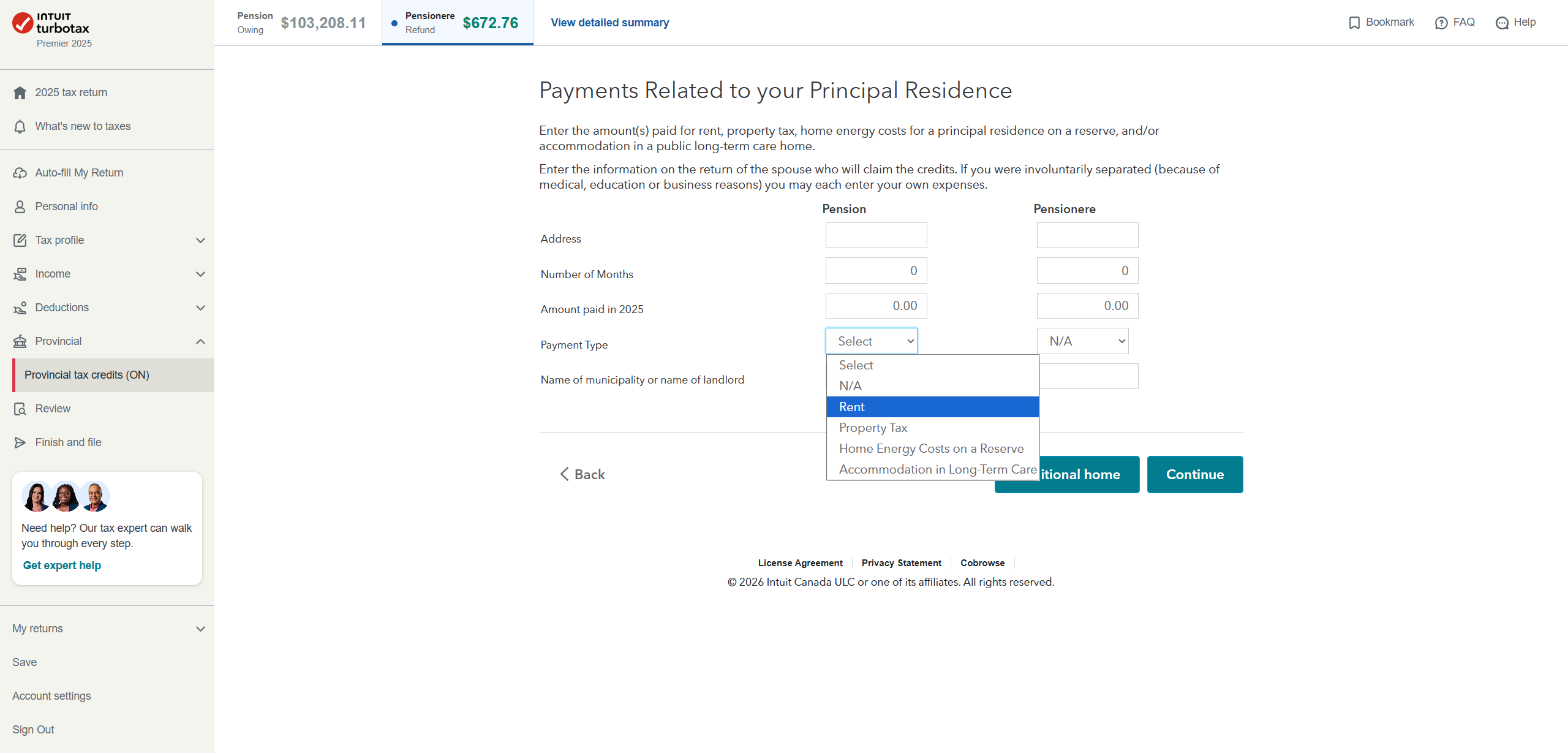
Here, as you see, you will click on the drop-down arrow and choose RENT. Fill out this form, and you can put the name of your landlord.
We hope this helps.
Thank you for choosing TurboTax.
