

- Mark as New
- Bookmark
- Subscribe
- Subscribe to RSS Feed
- Permalink
- Report Inappropriate Content
Filing
This issue will be fixed on our next update. We will update you as soon as it has been resolved. This issue is with TurboTax Online.
Thank you for your patience in this matter.

- Mark as New
- Bookmark
- Subscribe
- Subscribe to RSS Feed
- Permalink
- Report Inappropriate Content
Filing
This is happening to me today. How do I fix it so my vehicle expenses populate?
Thanks
Liz
- Mark as New
- Bookmark
- Subscribe
- Subscribe to RSS Feed
- Permalink
- Report Inappropriate Content
Filing
Log out and make sure that you update your software go back to the expenses and see if they are showing the amounts that you entered.
Thank you for choosing TurboTax.

- Mark as New
- Bookmark
- Subscribe
- Subscribe to RSS Feed
- Permalink
- Report Inappropriate Content
Filing
I also run into sim issue.
Business expenses entered but only few categories added to total. Categories such as Communication, Legal and Professional Other completely omitted and not calculated into total.
I am running fully updated TurboTax Home and Business download for MAC. MAC OS fully updated too.

- Mark as New
- Bookmark
- Subscribe
- Subscribe to RSS Feed
- Permalink
- Report Inappropriate Content
Filing
@VP2024 TurboTax Canada do not have a Desktop version for Mac. If you are doing a US tax return, please contact the US Community with this link.
Thank you for choosing TurboTax.

- Mark as New
- Bookmark
- Subscribe
- Subscribe to RSS Feed
- Permalink
- Report Inappropriate Content
Filing
This is happening to me today. When will this get fixed for 2025 returns.

- Mark as New
- Bookmark
- Subscribe
- Subscribe to RSS Feed
- Permalink
- Report Inappropriate Content
Filing
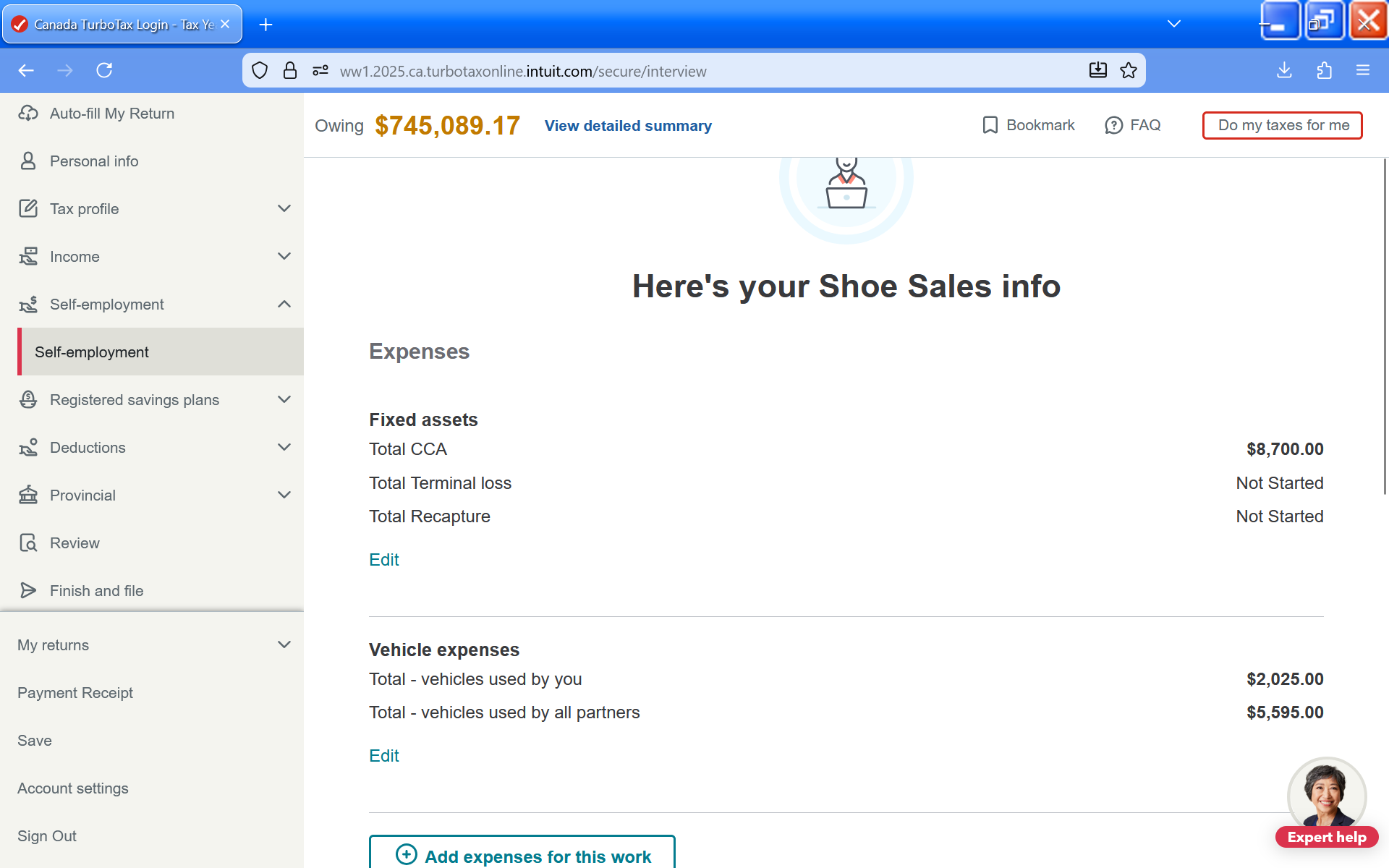
@sonamloga Which page specifically is not showing the vehicle expenses? The "Here's your [Business] info" page or somewhere else? Are the expenses being used when calculating your business income/loss? Did you enter your kilometres correctly?
- Mark as New
- Bookmark
- Subscribe
- Subscribe to RSS Feed
- Permalink
- Report Inappropriate Content
Filing
Hi, the issue is on the directly on the T1 tax return when I print my review copy. Under Statement of Business, Part 4 - Net Income.
Line items - 9281 & 9936 Motor Vehicle Expenses and CCA. Which both line items are showing blank totals.
I've checked all the kilometers, deleted and re-entered etc.
I also tried calling the turbo tax yesterday was on the phone with someone for 40 minutes. No help because he was unable to see the actual tax return. and
- Mark as New
- Bookmark
- Subscribe
- Subscribe to RSS Feed
- Permalink
- Report Inappropriate Content
Filing
Are the expenses showing up in Part 6 instead? If so, you entered the info under "Vehicles used by [you]" instead of "Vehicles used by the business (all partners)"
