
- Mark as New
- Bookmark
- Subscribe
- Subscribe to RSS Feed
- Permalink
- Report Inappropriate Content
cannot access account settings to change email address? i have troubleshooted by clearing caches and browser history. as well as tried both safari and chrome. please help
January 21, 2026
5:51 AM


- Mark as New
- Bookmark
- Subscribe
- Subscribe to RSS Feed
- Permalink
- Report Inappropriate Content
Troubleshooting
Have you tried in incognito mode? If not, I suggest trying that or using a different device.
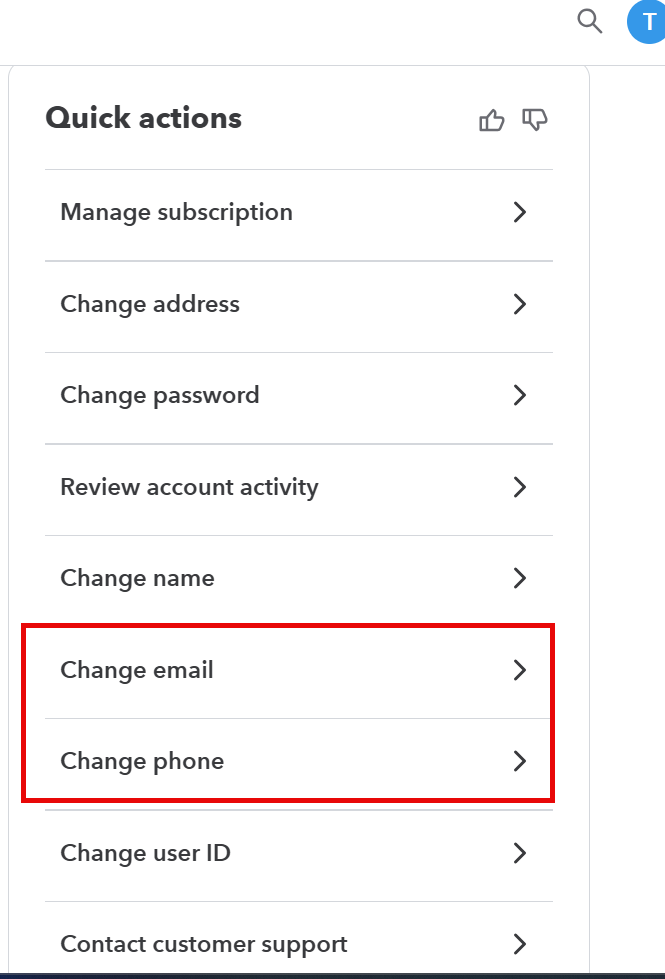
To change your email address:
- Sign in to your TurboTax Online account.
Do not click the Take me to my return button - Select Account Settings from the lower left corner.
- This will take you to an Overview screen > Quick actions
- Click Edit at the right of the E-mail address line.
- Enter your new email address and confirm it.
- Click Save, and you’re done.
Thank you for choosing TurboTax.
January 21, 2026
6:15 AM
