Open TurboTax

Why sign in to the Community?

  • Submit a question
  • Check your notifications
or and start working on your taxes
Close icon
Do you have a TurboTax Online account?

We'll help you get started or pick up where you left off.

cancel
Showing results for 
Search instead for 
Did you mean: 
Announcements

cannot access account settings to change email address? i have troubleshooted by clearing caches and browser history. as well as tried both safari and chrome. please help

 
1 Reply

cannot access account settings to change email address? i have troubleshooted by clearing caches and browser history. as well as tried both safari and chrome. please help

Have you tried in incognito mode? If not, I suggest trying that or using a different device.


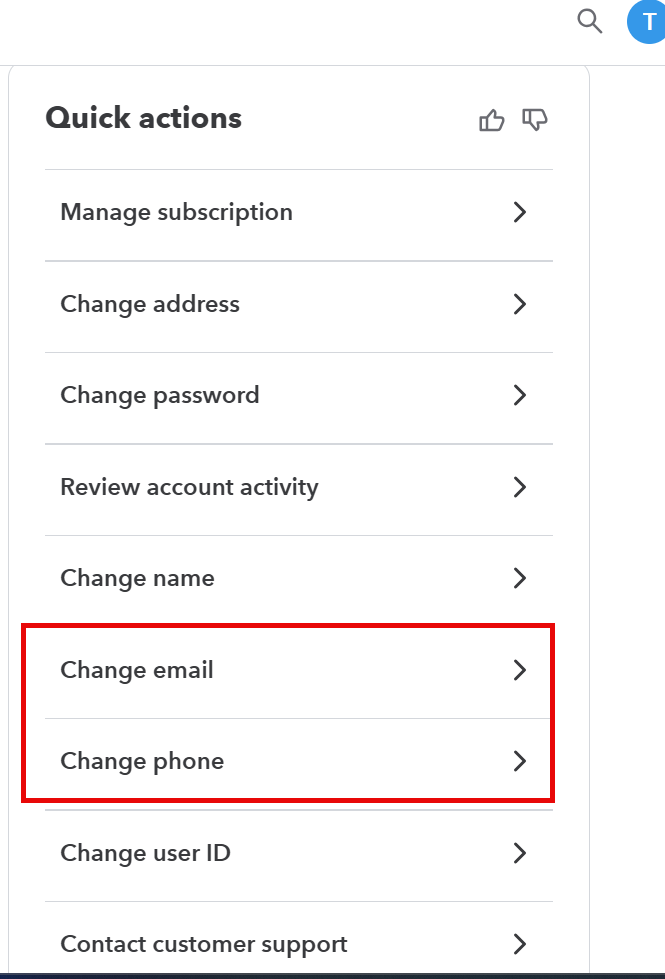
To change your email address:

  1. Sign in to your TurboTax Online account.
    Do not click the Take me to my return button
  2. Select Account Settings from the lower left corner.
  3. This will take you to an Overview screen > Quick actions
  4. Click Edit at the right of the E-mail address line.
  5. Enter your new email address and confirm it.
  6. Click Save, and you’re done.


Thank you for choosing TurboTax.

Unlock tailored help options in your account.