

- Mark as New
- Bookmark
- Subscribe
- Subscribe to RSS Feed
- Permalink
- Report Inappropriate Content
Troubleshooting
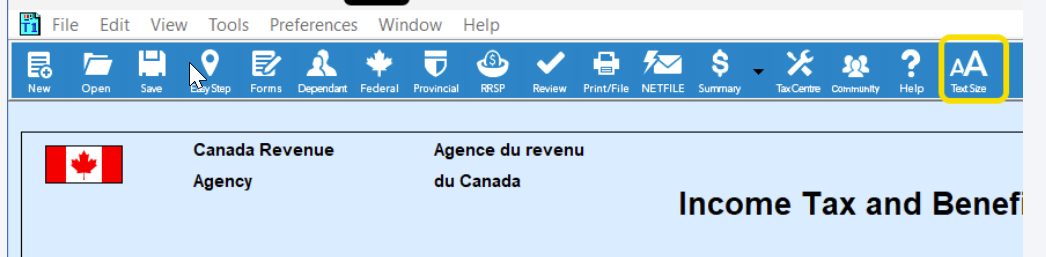
@Montanaszostak You cannot change the size of the top navigation bar. However, you can click on View // zoom // zoom in, or from form mode, you click on the text box in the blue bar (see screenshot). Sometimes, it can take effect only if you close the software and reopen it, depending on the option you used.
You can also try changing the scale and/or screen resolution in the Windows settings.
Monday
