Open TurboTax
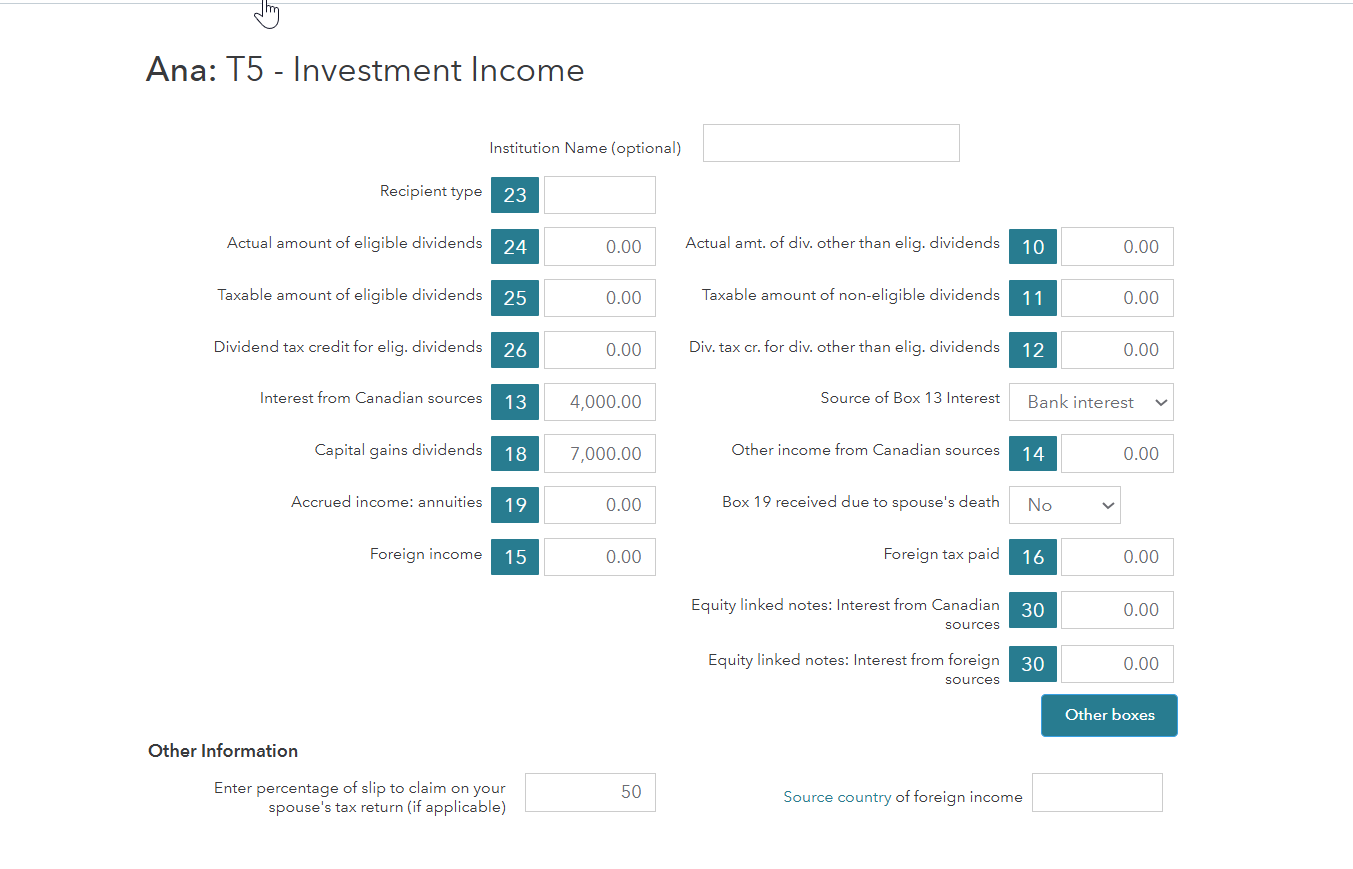
You only have to enter the T5 once. If you are going to be the partner who takes care of the T5, enter the percentage that will be claimed by a spouse on your tax return. If you and your spouse are preparing tax returns together, TurboTax will automatically transfer the percentage of each partner’s claim onto both partners’ returns.
Search for T5-Slips > T5 Investment Income > Enter New T5.
Thank you for choosing TurboTax.

First of all, start a new return.
If you both contributed equal amounts to the investment and you share money, you can each claim 50% of the amount shown on the T5 tax slip. Otherwise, you can claim the appropriate portion depending on how much you contributed to the investment account:
Amount to report = personal amount contributed/total amount contributed
For example:
Amanda and Phillip opened an investment account together that pays interest. Amanda contributed $1,000, and Phillip contributed $3,000.
They received a T5 slip with both names on it and an amount of $100 in Box 13.
Each will have to report a portion of this income on their tax returns:
If you need more help regarding this concept, visit - T5 Tax Form: Statement of Investment Income in Canada
Thank you for choosing TurboTax.
ProRad
Level 3
keithhaddad
New Member
larryzed
New Member
blairlister
New Member
walterfrancois76
New Member
You have clicked a link to a site outside of the TurboTax Community. By clicking "Continue", you will leave the Community and be taken to that site instead.