In TurboTax Canada, the Mandatory Inventory Adjustment (MIA) is not calculated on a standalone "worksheet" screen in the interview; rather, it is a formula-driven result that appears on your T2042 (Statement of Farming Activities).
The MIA is triggered automatically if you use the Cash Method of accounting and report a net loss but still have purchased inventory (like livestock or feed) on hand at the end of the year.
Since there is no "Forms Mode" in the online version, you have to look at your summary:
In the left-hand menu, select Tax Summaries.
Click Detailed Tax Summary.
Look for the line items related to farming income. If an MIA was applied, your "Net Income" for the farm will likely show as $0.00 (because the MIA "adds back" enough inventory value to cancel out the loss).
To see the specific data entry, go back to the Farming Income section under "Self-Employment" and look for the screen titled "Inventory Adjustments" or "Purchased Inventory" and continue.
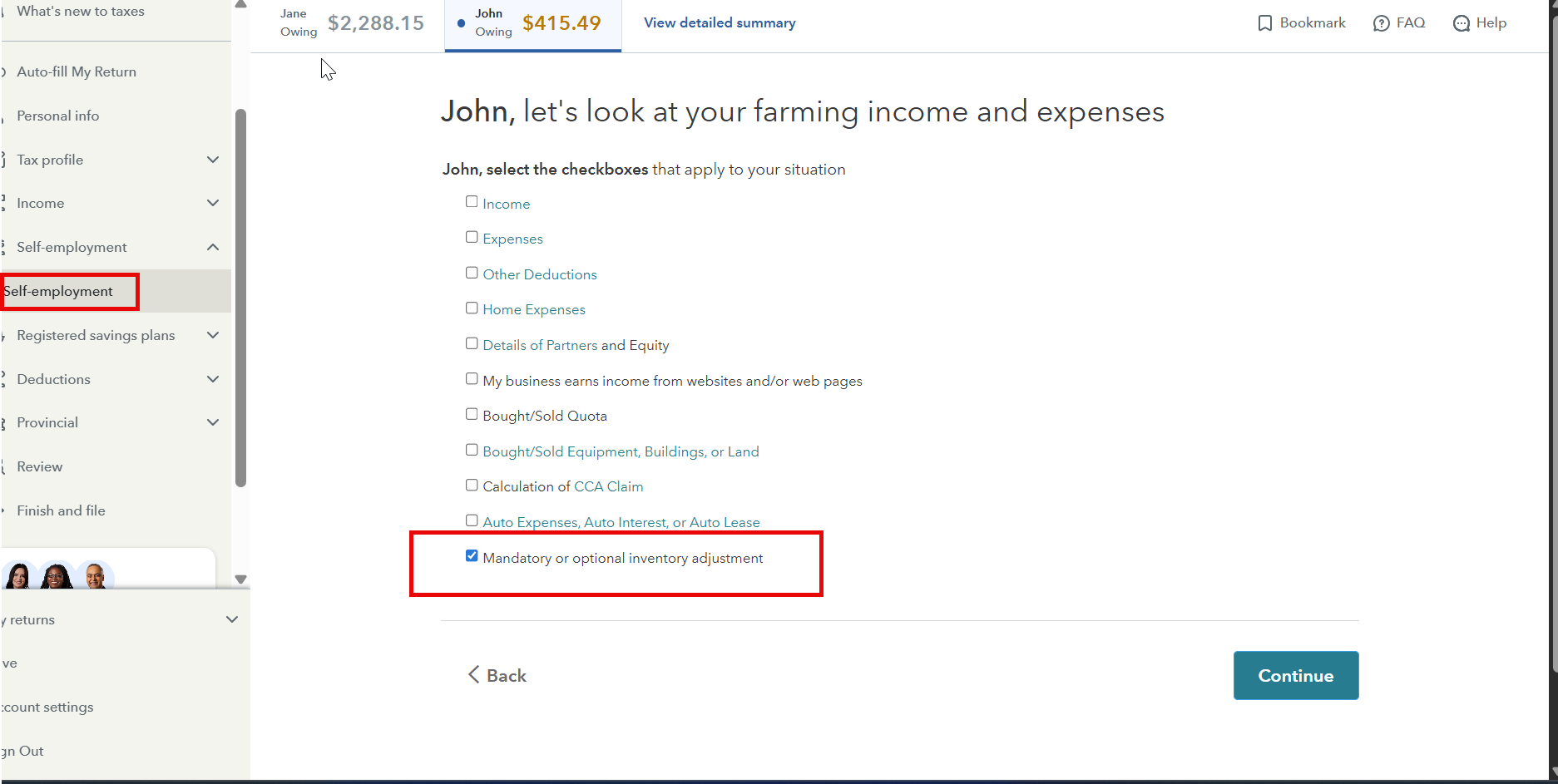
Thank you for choosing TurboTax.


 Sign In
 Canada (English)
EN
Canada (English)
EN


