Open TurboTax
This iteration of the software doesn't seem to include a real search tool. I have tried every way suggested to find where to enter carrtying chrges or management fees but have been totally unsuccessful. I'm disappointed in the software I have been using for about 20 years.
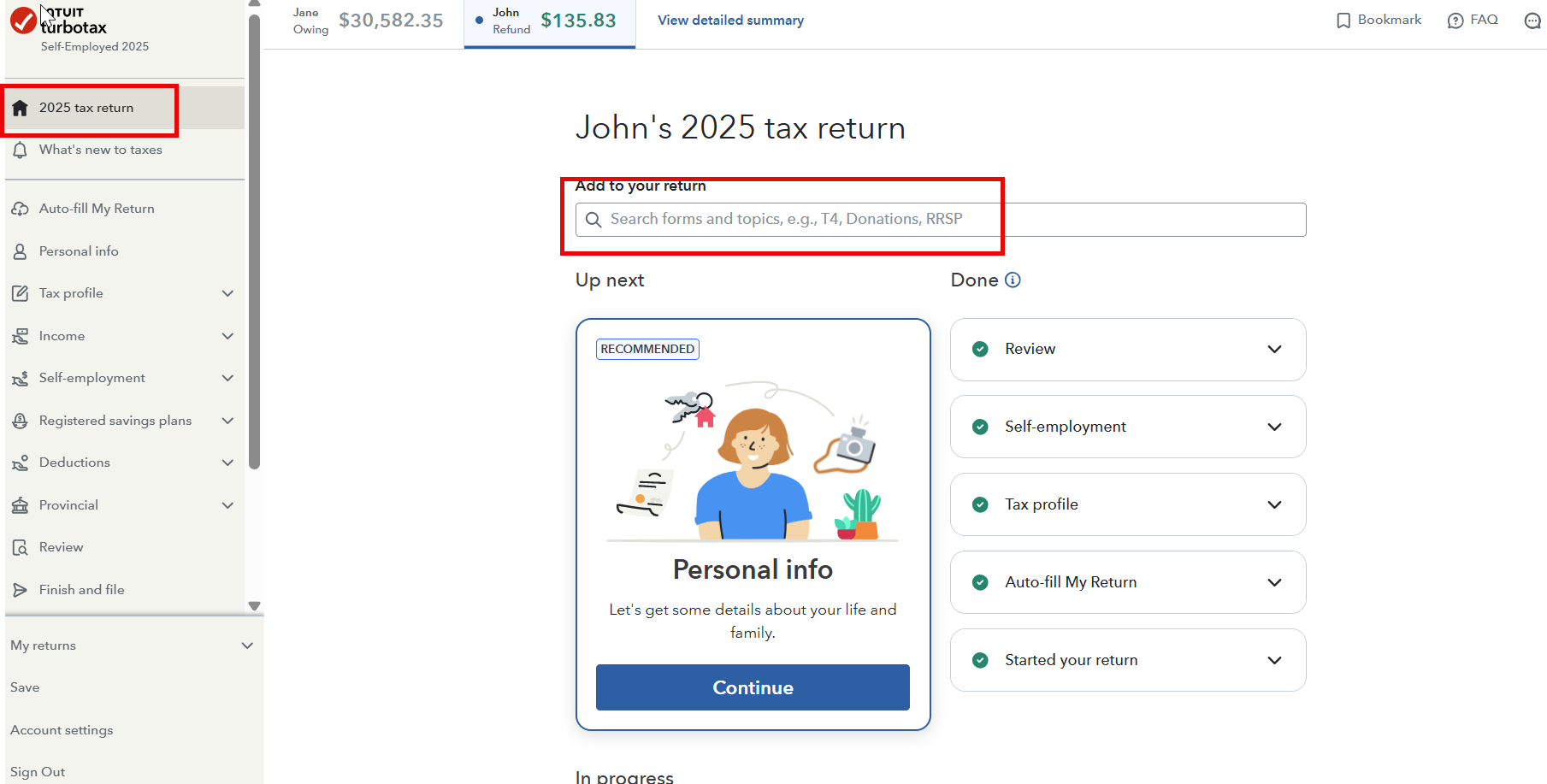
When you are in your return, you can search any topics or sections as shown in the screenshot below:

Navigate to the Investment Income section under the Income tab, where you will find the step for Carrying Charges listed on the next pages.

Hope this helps!
Thank you for choosing TurboTax.
Thanks for your prompt reply. However when I navigate as you suggest I end up IN my T5 form and subsequent pages do not show any way to deduct carrying charges. I even found the line in my return but it doesn't connect to carry charges.
You're welcome! The software has you locked into the 'Income' flow (the T5 slips), but carrying charges are actually tucked away in the Deductions section.
Since the 'Find' tool is giving you trouble, let’s bypass the T5 pages entirely with these steps:
Look at the left-hand navigation menu and click on Deductions & Credits.
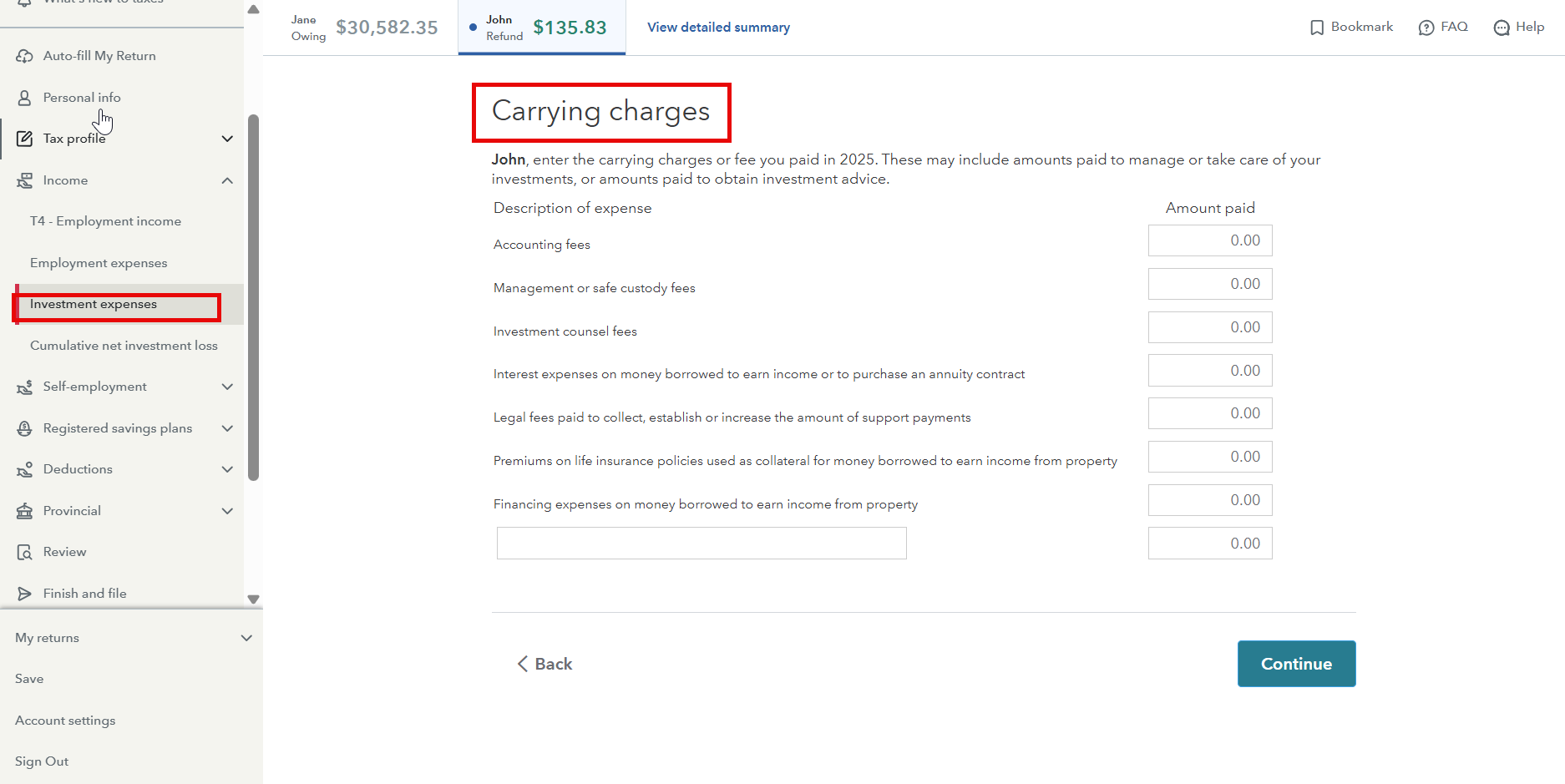
Select Investment Expenses. (If you don't see it, click on 'Deductions' and look for 'Other Deductions').
On the page titled 'Did you have investment-related expenses?' make sure the box for 'Carrying charges and interest expenses' is checked.
Click Continue. You should move past the T5 screens and land on a page titled 'Carrying Charges and Interest Expenses' with several blank rows.
If you still can't find the section, I would suggest that you contact our Product Support team. They have access to tools we don't have here in Community, like screenshare, and guide you through it.

Wendyb50
New Member
A220fte
New Member
Amyvn
Returning Member
falladina
New Member
FL Self filer
New Member
You have clicked a link to a site outside of the TurboTax Community. By clicking "Continue", you will leave the Community and be taken to that site instead.