
- Mark as New
- Bookmark
- Subscribe
- Subscribe to RSS Feed
- Permalink
- Report Inappropriate Content
Where do I upload software subscriptions for self-employed?


- Mark as New
- Bookmark
- Subscribe
- Subscribe to RSS Feed
- Permalink
- Report Inappropriate Content
Importing your data
To download your TurboTax software, you will go here and click on the version of the software you purchased, and it will download.
Thank you for choosing TurboTax
- Mark as New
- Bookmark
- Subscribe
- Subscribe to RSS Feed
- Permalink
- Report Inappropriate Content
Importing your data
I am doing my taxes online. I don't need the TurboTax software. I want to know where I report my Software subscriptions as expenses. I don't see the category for it. I am self-employed.
- Mark as New
- Bookmark
- Subscribe
- Subscribe to RSS Feed
- Permalink
- Report Inappropriate Content
Importing your data
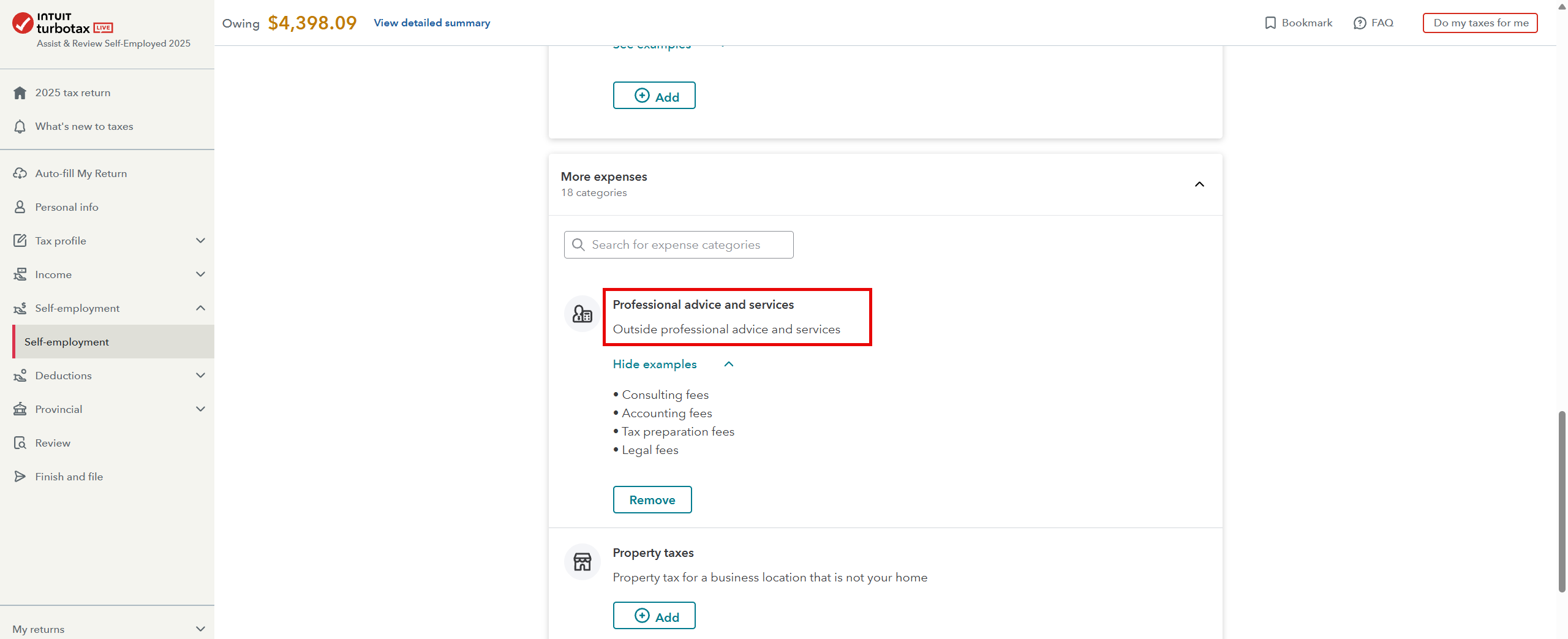
You need to open your return and go to Self-Employment—click on "Edit" beside your business. You now need to go through page by page until you get to the self-employment expense part and from there on page 3 you will see the following: Professional advice and services: Click ADD, then continue.
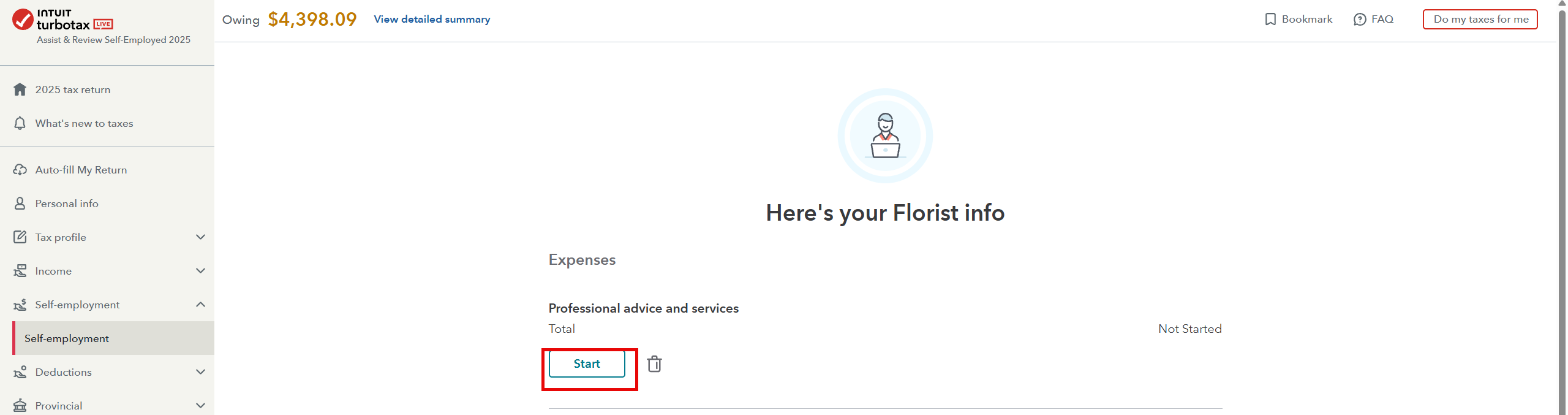
Once you see the following page, click on Start:
Thank you for choosing TurboTax.


- Mark as New
- Bookmark
- Subscribe
- Subscribe to RSS Feed
- Permalink
- Report Inappropriate Content
Importing your data
I uploaded the screenshots of the categories I do have; the one you mentioned is not there.
- Mark as New
- Bookmark
- Subscribe
- Subscribe to RSS Feed
- Permalink
- Report Inappropriate Content
Importing your data
No worries, I found it. My next question is, can I break it up? So that I can upload a breakdown of all the different software I use, with the cost of each one?

- Mark as New
- Bookmark
- Subscribe
- Subscribe to RSS Feed
- Permalink
- Report Inappropriate Content
Importing your data
Nor do I see "miscellaneous" on yours either. We recommend that you contact our product support for assistance.
Thank you for choosing TurboTax.
- Mark as New
- Bookmark
- Subscribe
- Subscribe to RSS Feed
- Permalink
- Report Inappropriate Content
Importing your data
If its tax related software - you can only use one tax software for the year- unless your self-employment is doing taxes for others, you would then enter them as a total on your return. Make sure you keep all receipts for the CRA.
- Mark as New
- Bookmark
- Subscribe
- Subscribe to RSS Feed
- Permalink
- Report Inappropriate Content
Importing your data
It is not tax software. I am a video editor, self-employed, and I use different plugins and software, all on a subscription basis, paid monthly. Can I enter the software/plugins separately and the cost of each separately, or do I bundle them all together in one total?
