
 Open TurboTax
 Sign In
Why sign in to the Community?
- Submit a question
- Check your notifications


- TurboTax Support
- :
- Discussions
- :
- Navigating TurboTax
- :
- Importing your data
- :
- Re: Where do I upload software subscriptions for self-employed?
- Subscribe to RSS Feed
- Mark Topic as New
- Mark Topic as Read
- Float this Topic for Current User
- Bookmark
- Subscribe
- Printer Friendly Page

- Mark as New
- Bookmark
- Subscribe
- Subscribe to RSS Feed
- Permalink
- Report Inappropriate Content
Where do I upload software subscriptions for self-employed?


- Mark as New
- Bookmark
- Subscribe
- Subscribe to RSS Feed
- Permalink
- Report Inappropriate Content
Where do I upload software subscriptions for self-employed?
To download your TurboTax software, you will go here and click on the version of the software you purchased, and it will download.
Thank you for choosing TurboTax
- Mark as New
- Bookmark
- Subscribe
- Subscribe to RSS Feed
- Permalink
- Report Inappropriate Content
Where do I upload software subscriptions for self-employed?
I am doing my taxes online. I don't need the TurboTax software. I want to know where I report my Software subscriptions as expenses. I don't see the category for it. I am self-employed.
- Mark as New
- Bookmark
- Subscribe
- Subscribe to RSS Feed
- Permalink
- Report Inappropriate Content
Where do I upload software subscriptions for self-employed?
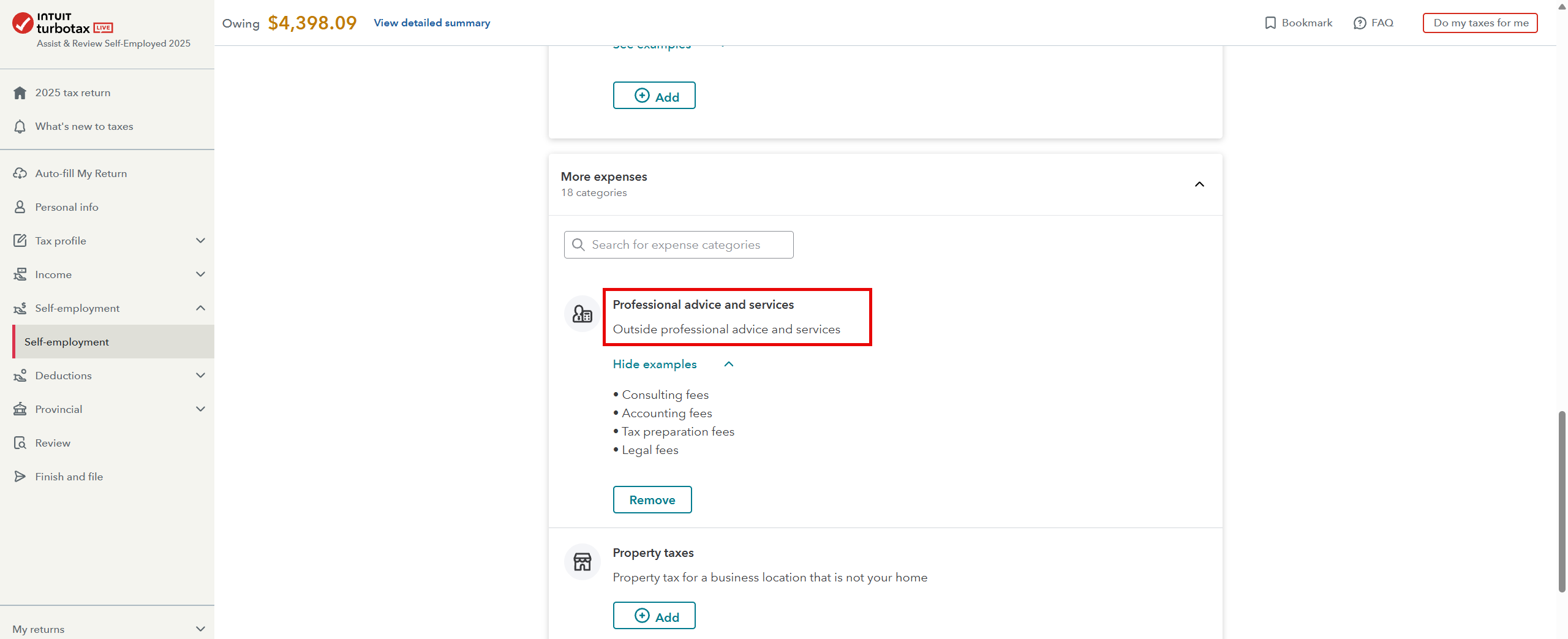
You need to open your return and go to Self-Employment—click on "Edit" beside your business. You now need to go through page by page until you get to the self-employment expense part and from there on page 3 you will see the following: Professional advice and services: Click ADD, then continue.
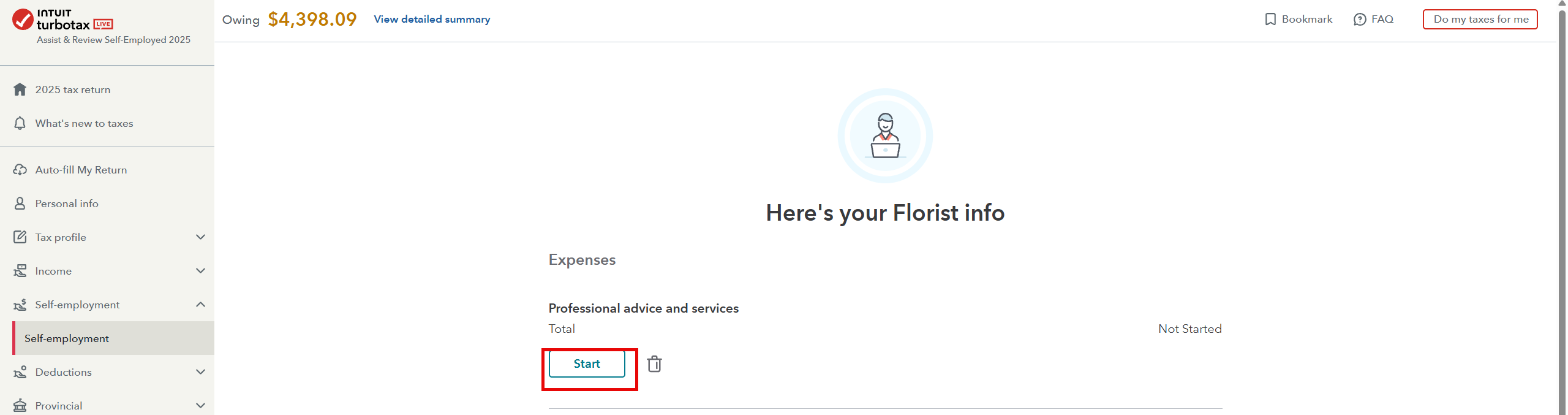
Once you see the following page, click on Start:
Thank you for choosing TurboTax.
- Mark as New
- Bookmark
- Subscribe
- Subscribe to RSS Feed
- Permalink
- Report Inappropriate Content
Where do I upload software subscriptions for self-employed?


- Mark as New
- Bookmark
- Subscribe
- Subscribe to RSS Feed
- Permalink
- Report Inappropriate Content
Where do I upload software subscriptions for self-employed?
I uploaded the screenshots of the categories I do have; the one you mentioned is not there.
- Mark as New
- Bookmark
- Subscribe
- Subscribe to RSS Feed
- Permalink
- Report Inappropriate Content
Where do I upload software subscriptions for self-employed?
No worries, I found it. My next question is, can I break it up? So that I can upload a breakdown of all the different software I use, with the cost of each one?

- Mark as New
- Bookmark
- Subscribe
- Subscribe to RSS Feed
- Permalink
- Report Inappropriate Content
Where do I upload software subscriptions for self-employed?
Nor do I see "miscellaneous" on yours either. We recommend that you contact our product support for assistance.
Thank you for choosing TurboTax.
- Mark as New
- Bookmark
- Subscribe
- Subscribe to RSS Feed
- Permalink
- Report Inappropriate Content
Where do I upload software subscriptions for self-employed?
If its tax related software - you can only use one tax software for the year- unless your self-employment is doing taxes for others, you would then enter them as a total on your return. Make sure you keep all receipts for the CRA.
- Mark as New
- Bookmark
- Subscribe
- Subscribe to RSS Feed
- Permalink
- Report Inappropriate Content
Where do I upload software subscriptions for self-employed?
It is not tax software. I am a video editor, self-employed, and I use different plugins and software, all on a subscription basis, paid monthly. Can I enter the software/plugins separately and the cost of each separately, or do I bundle them all together in one total?