
- Mark as New
- Bookmark
- Subscribe
- Subscribe to RSS Feed
- Permalink
- Report Inappropriate Content
How to enter Quebec RELEVE 1 in Turbo Tax
Hello,
In 2025 year I lived in Ontario and worked for a Quebec company remotely.
I paid RRQ RQAP to the Quebec government.
To get a reimbursement, I need to file a Releve 1 (R1).
I need help on how to do this. In the Q&A section they say to Add a T4A pension and then go to R1. This does not work for me. I can not find RELEVE 1 (R1) any where?
I need some help, step by step if possible. Screen shots would be best.
Many thanks
Stephane Marcotte


- Mark as New
- Bookmark
- Subscribe
- Subscribe to RSS Feed
- Permalink
- Report Inappropriate Content
Quebec taxes
Hello,
my employer from Quebec provided me with a T 4 and a Releve 1 (R1) document.
thank you for your assistance
stephane

- Mark as New
- Bookmark
- Subscribe
- Subscribe to RSS Feed
- Permalink
- Report Inappropriate Content
Quebec taxes
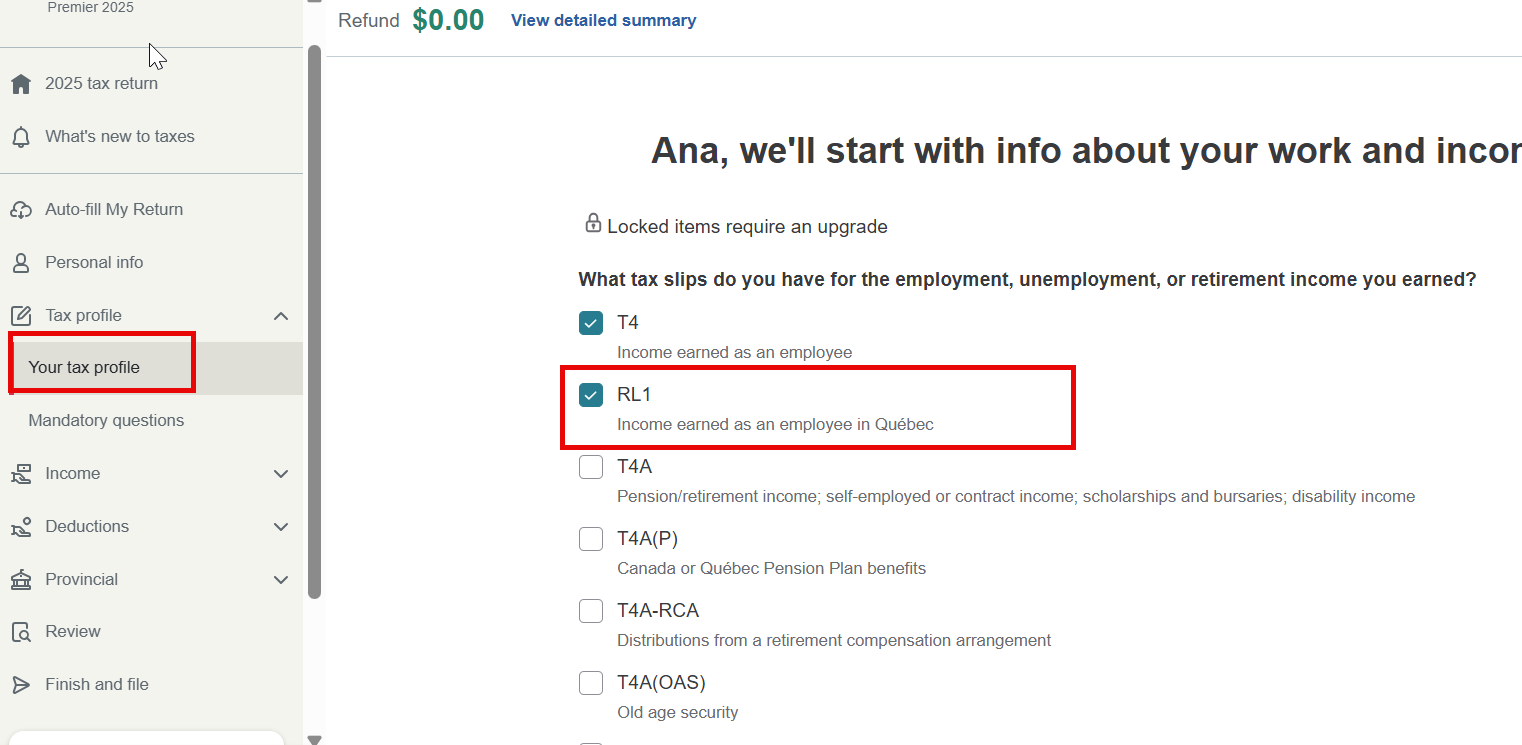
Go to your Tax profile first, and you'll find a section where you can check RL-1. After doing so, the Québec tax deducted from your Relevé 1 slip (non-resident of Québec) section will appear.
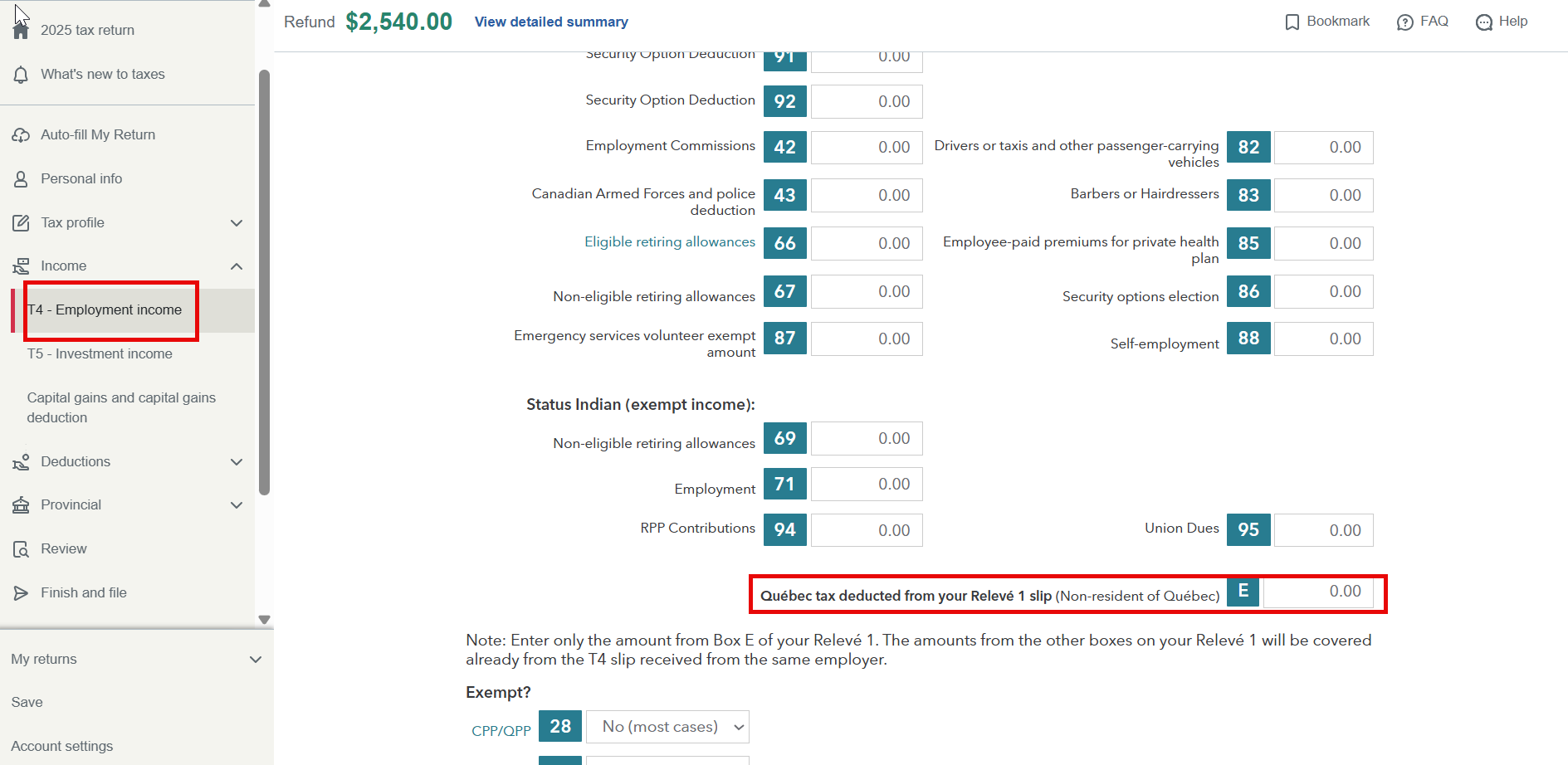
Scroll down to the bottom of the T4 page. You can enter the amount from Box E of your Relevé 1 there. This is the only amount you need to enter if you were a non-resident of Quebec.
Thank you for choosing TurboTax.
- Mark as New
- Bookmark
- Subscribe
- Subscribe to RSS Feed
- Permalink
- Report Inappropriate Content
Quebec taxes
Thank you so much Aniqua,
I would not have been able to figure it out without your help.
I was expecting to see a tax slip for Releve1, but it is just one box inside the T4 slip.
I really appreciate your help.
Thank you again.
Stephane
