In TurboTax Online, you won't see a "Forms" menu like the desktop version, but you can find your T5008 summary and the resulting capital gains in a few specific places.
1. The Investment Income Summary
Once you have entered your slips, you can view the collective data by following these steps:
Select Income from the left-side menu.
Click on Investments.
Select T5008 - Statement of Securities Transactions.
TurboTax will show a table listing every slip you’ve entered. This is your primary "summary" for verifying individual transactions.
2. The "Detailed Tax Summary" (To see the total)
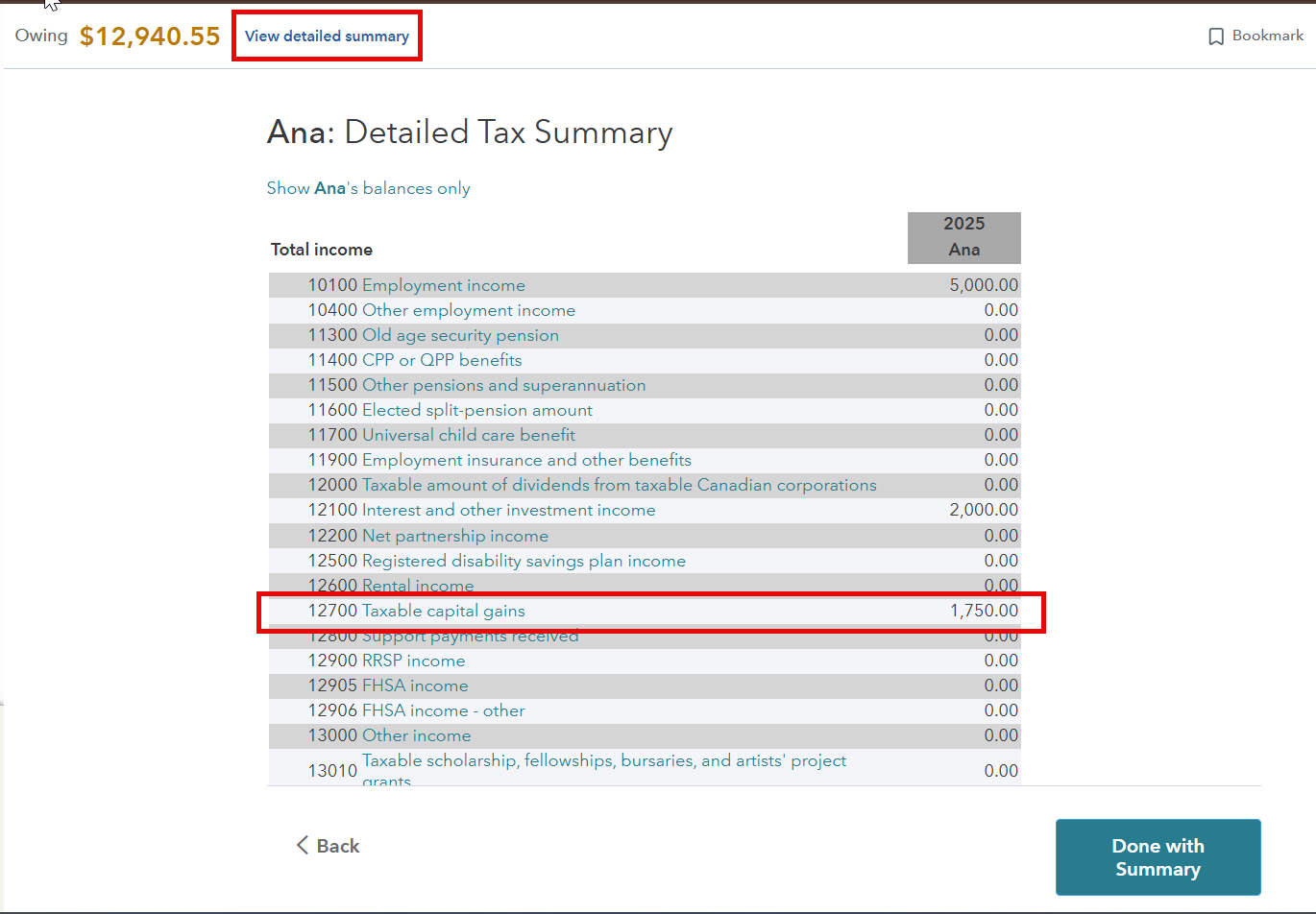
If you want to see the final calculated amount that is being sent to the CRA:
Select "View detailed summary" from the top
Look for Line 12700 (Taxable Capital Gains). This number represents 50% of the total gain/loss calculated from your T5008 slips and other capital property.
Hope this helps!
Thank you for choosing TurboTax.


 Sign In
 Canada (English)
EN
Canada (English)
EN


