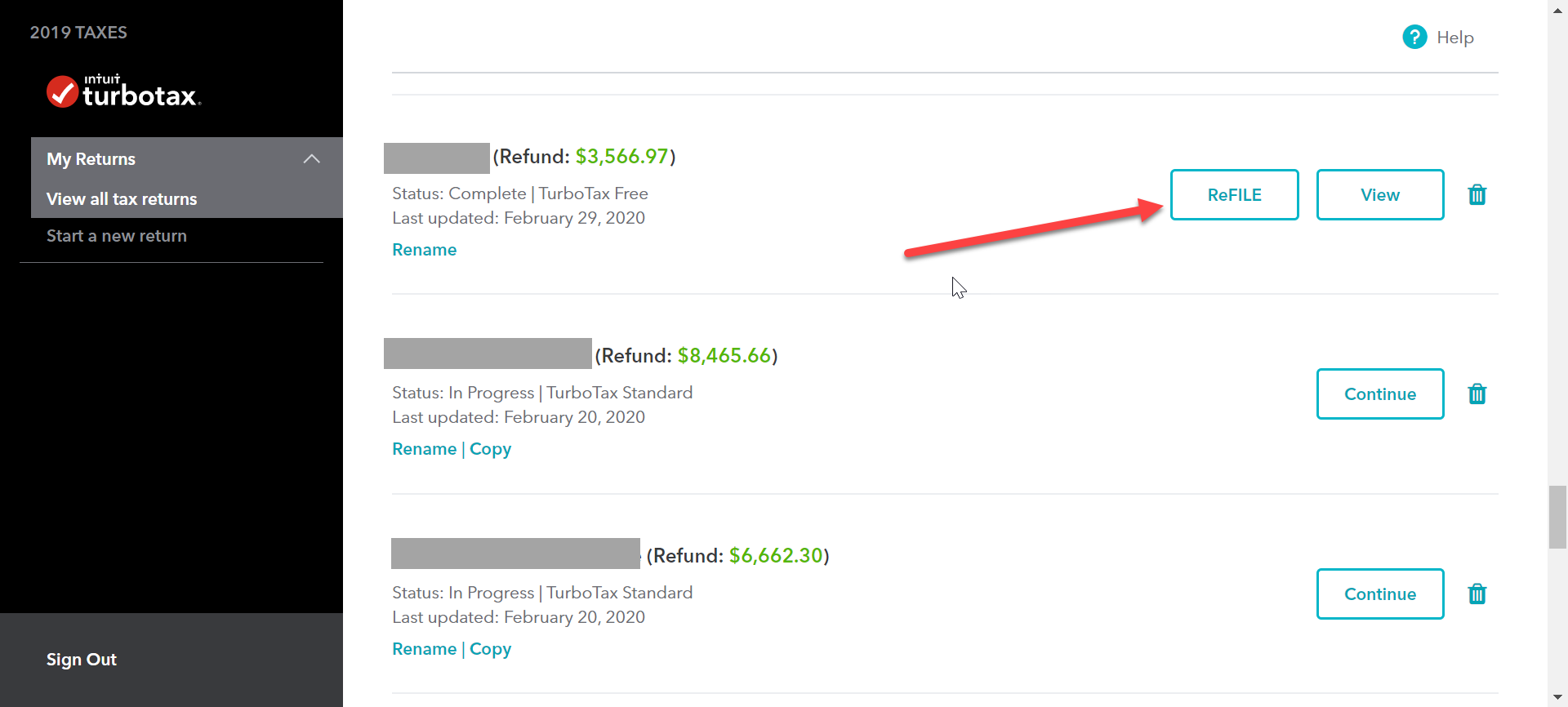
If you are using TurboTax Online, the RefIle button will be to the right of the return on the "Great to see you again!" page (My Returns>View All Tax returns). You can login to TurboTax Canada Online 2023 here: https://ww1.2023.ca.turbotaxonline.intuit.com/
If you are using TurboTax Desktop, the "Change Return" button will be to the right of the return on the "Welcome to TurboTax! " page. You can also click on the "Change A Filed Return" button, or select File > Change A Filed Return from the grey menu to ReFILE a return that's not shown.
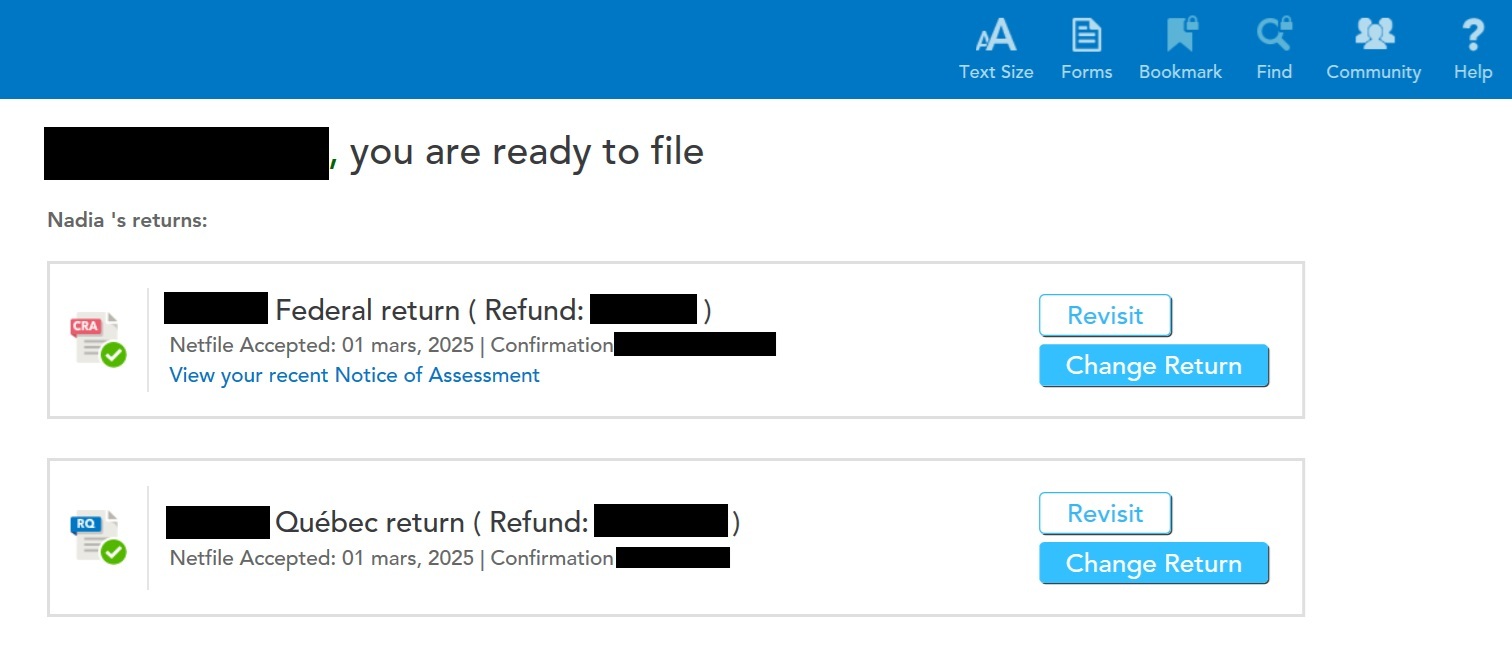
Please note that you can only use ReFILE if the return was originally submitted via NETFILE. You also must wait until you've received your Notice of Assessment (NOA).
If you didn't use NETFILE to submit your return, you can still make adjustments using the Canada Revenue Agency’s (CRA) My Account service or you can print & mail a T1-ADJ T1 Adjustment Request.



 Sign In
 Canada (English)
EN
Canada (English)
EN


