
 Open TurboTax
 Sign In
Why sign in to the Community?
- Submit a question
- Check your notifications


- TurboTax Support
- :
- Discussions
- :
- Navigating TurboTax
- :
- Getting started
- :
- I do not want the TurboTax Assist & Review Deluxe, how do I remove it
Turn on suggestions
Auto-suggest helps you quickly narrow down your search results by suggesting possible matches as you type.
Showing results for
- Subscribe to RSS Feed
- Mark Topic as New
- Mark Topic as Read
- Float this Topic for Current User
- Bookmark
- Subscribe
- Printer Friendly Page

- Mark as New
- Bookmark
- Subscribe
- Subscribe to RSS Feed
- Permalink
- Report Inappropriate Content
I do not want the TurboTax Assist & Review Deluxe, how do I remove it
posted
February 25, 2024
9:39 PM
last updated
February 25, 2024
9:39 PM
32 Replies

- Mark as New
- Bookmark
- Subscribe
- Subscribe to RSS Feed
- Permalink
- Report Inappropriate Content
I do not want the TurboTax Assist & Review Deluxe, how do I remove it
Unfortunately, once and upgrade or service has been accepted or chosen, it is impossible to go back. You will need to start a new return.
Thank you for choosing TurboTax.
February 26, 2024
6:13 AM

- Mark as New
- Bookmark
- Subscribe
- Subscribe to RSS Feed
- Permalink
- Report Inappropriate Content
I do not want the TurboTax Assist & Review Deluxe, how do I remove it
That's not fair. We should be allowed to remove the upgrades.
I selected I don't want to claim my child's tuition credit but it keeps asking me to enter all information.
April 2, 2025
1:55 PM


- Mark as New
- Bookmark
- Subscribe
- Subscribe to RSS Feed
- Permalink
- Report Inappropriate Content
I do not want the TurboTax Assist & Review Deluxe, how do I remove it
@mrhatkar Once the product has been chosen for an upgrade, it is regrettably not possible to downgrade. If you want to continue your return, you will need to start over in the version you prefer.
April 2, 2025
2:13 PM

- Mark as New
- Bookmark
- Subscribe
- Subscribe to RSS Feed
- Permalink
- Report Inappropriate Content
I do not want the TurboTax Assist & Review Deluxe, how do I remove it
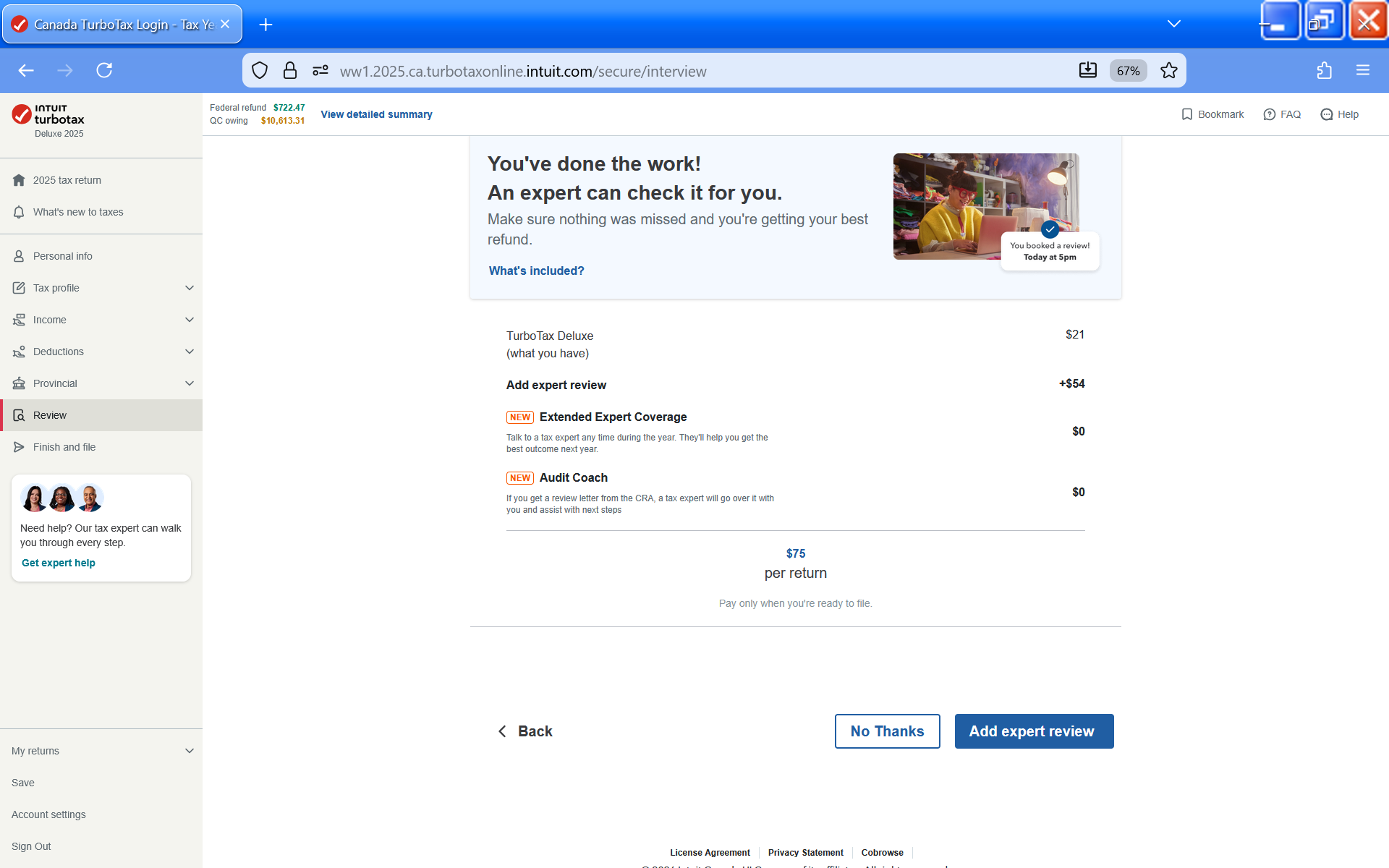
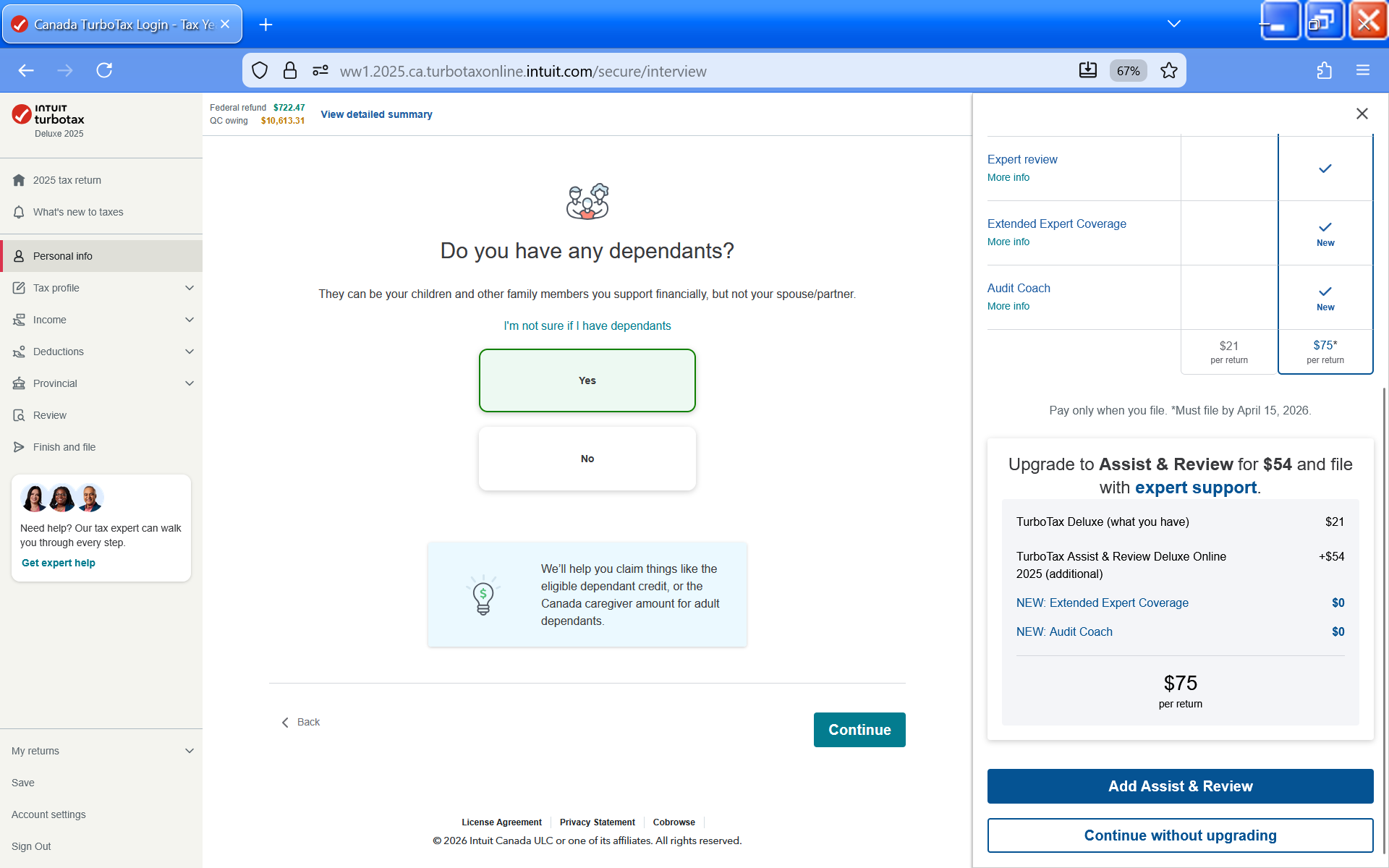
WOW, what a devious tactic. You surreptitiously allow the customer to enable this service WITHOUT letting them know it has been turned on and that there will be additional fees. Only at the very end can you tell that there is an additional charge applied and to eliminate the charge you have to start over with a new return. It is a shame that Intuit's TurboTax has to steep this low in their attempt to wring extra dollars from their customers.
January 31, 2026
3:15 PM

- Mark as New
- Bookmark
- Subscribe
- Subscribe to RSS Feed
- Permalink
- Report Inappropriate Content
I do not want the TurboTax Assist & Review Deluxe, how do I remove it
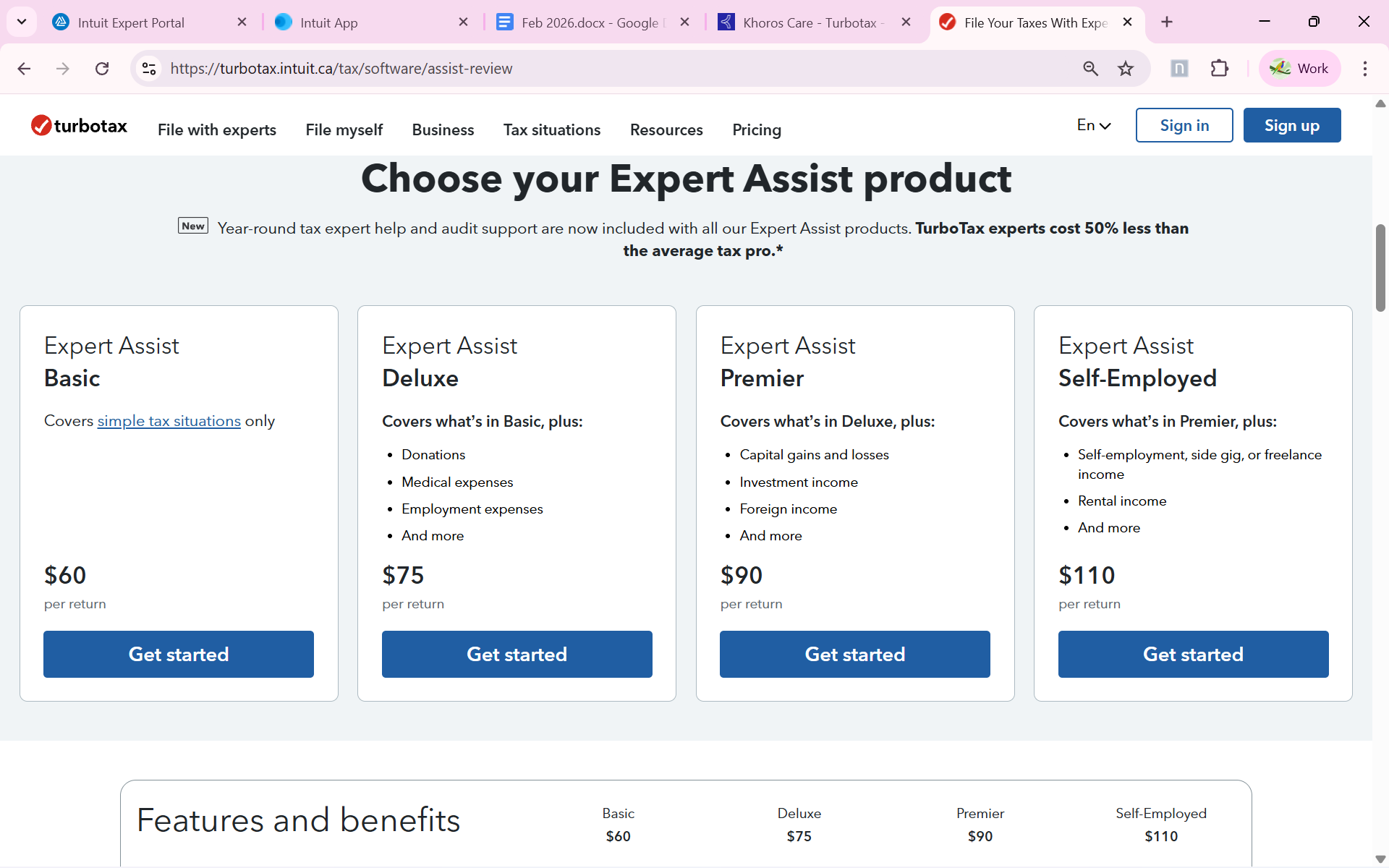
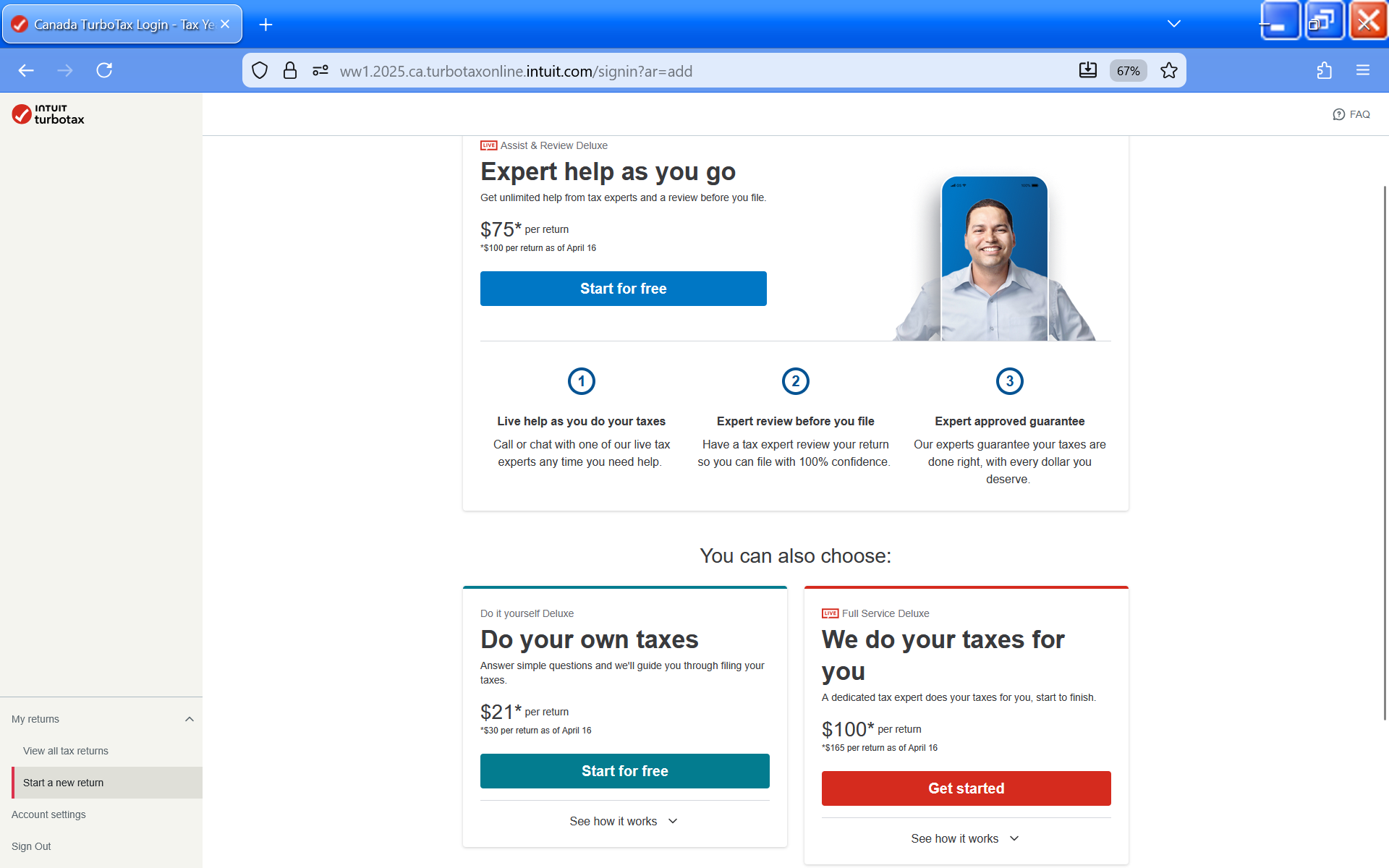
@lizdaryl The prices for Assist & Review are shown whether you choose to start with it or choose to upgrade. And you have the chance to opt out of the upgrade.
February 1, 2026
11:03 AM
- Mark as New
- Bookmark
- Subscribe
- Subscribe to RSS Feed
- Permalink
- Report Inappropriate Content
I do not want the TurboTax Assist & Review Deluxe, how do I remove it
What BS. There was no option except to choose expert help, then no choice to remove it. Looks life, after all these years, I’m switching to different software.
February 21, 2026
3:24 PM
- Mark as New
- Bookmark
- Subscribe
- Subscribe to RSS Feed
- Permalink
- Report Inappropriate Content
I do not want the TurboTax Assist & Review Deluxe, how do I remove it
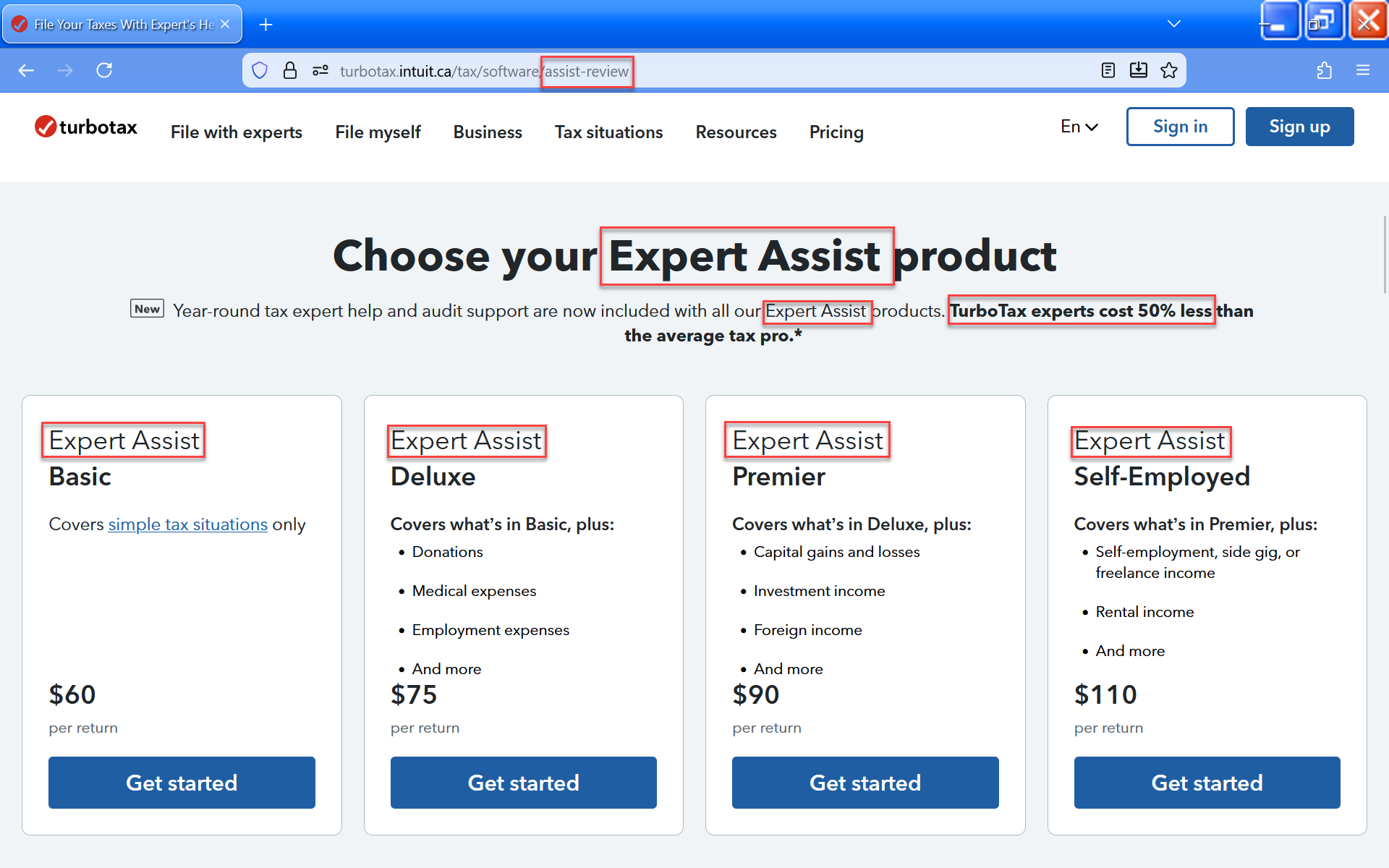
Thanks for your reply. I saw the options that you posted in the first screenshot, and I chose 'Basic'. However, somewhere further into my data entry 'Expert Assist' got enabled without me realizing it got turned on. There was no way to turn it back off without starting over.
February 24, 2026
9:10 AM
- Mark as New
- Bookmark
- Subscribe
- Subscribe to RSS Feed
- Permalink
- Report Inappropriate Content
I do not want the TurboTax Assist & Review Deluxe, how do I remove it
@lizdaryl The screenshot above is from the Expert Assist (Assist & Review) page, so anything you choose on this page will come with Expert Assist.
February 24, 2026
9:58 AM

- Mark as New
- Bookmark
- Subscribe
- Subscribe to RSS Feed
- Permalink
- Report Inappropriate Content
I do not want the TurboTax Assist & Review Deluxe, how do I remove it
I have started over....twice. The expert advice is there as soon as I start...It will not go away. There is no option to downgrade or change it. WTF
March 12, 2026
3:19 PM
Unlock tailored help options in your account.
Related Content

leoarv88c
New Member

user17774822280
New Member
holzfam4
New Member

aizaasif
New Member

LittleFlower88
New Member